
Blog
Hiring Simplified: A Smarter Approach to Finding Top Talent


Hiring can become slow for reasons that have little to do with finding the right person. Long forms, repeated interviews, late feedback, and poor communication can turn a simple vacancy into a process that lasts for weeks. That delay costs time and can push strong candidates toward faster employers.
Hiring Simplified is about removing that waste without lowering standards. The aim is to keep the steps that help you choose well and remove those that add work without adding value. A clear process is easier for recruiters, managers, and candidates to follow.
Why a Simpler Hiring Process Matters?
A long recruitment cycle can make a company look careful, but it can also make it look disorganized. Candidates may wait days for a reply, repeat the same answers in several interviews, or fill out forms that ask for information already shown on their resume.
Hiring Simplified focuses on useful steps only. Each stage should answer a clear question about the candidate, the role, or the final decision. If a step does not help the company make a better choice, it can often be removed, combined, or automated.
Good candidates often apply to several employers. If one company moves in three days while another takes two weeks, the slower team may lose a strong applicant. Speed alone will not fix poor hiring, but needless delays can cost a company people it wanted to hire.
Define the Role Before You Start Recruiting
Many hiring problems begin before the job is posted. A manager may know help is needed but may not have agreed on the exact duties, required skills, salary range, or reporting line. That lack of detail creates confusion later.
Write down what the person will actually do in the first six months. Separate essential skills from useful extras so capable people are not rejected by an unrealistic wish list. This also makes screening much easier once resumes begin to arrive.
Hiring Simplified works best when everyone agrees on the role early. Decide who reviews applications, who interviews, and who has the final say. Clear ownership prevents late changes and stops managers from judging candidates by different standards.
Write Job Ads That Sound Clear and Real
A job ad should help people understand the work. It should not read like a wall of vague corporate phrases. Use a direct job title, explain the main tasks, and tell applicants what success in the role will look like.
Keep the requirements realistic. If a skill can be learned quickly, think twice before calling it mandatory. Long checklists can make good applicants assume the company wants a perfect match, even when the hiring manager would accept someone with room to learn.
Hiring Simplified also means being open about practical details. State whether the role is remote, hybrid, or office-based. Include travel needs, working hours, and salary details when possible so poor-fit applications fall away early.
Make the Application Easy to Complete
The application is often the first real test of the candidate experience. If the form is slow, confusing, or badly designed for mobile devices, some applicants will leave before they finish. A company can lose good people before a recruiter even sees their names.
Ask only for information needed at the first stage. If a resume already shows work history and education, do not make people type it again. Remove questions that are not needed yet and save detailed checks for candidates who move forward.
Hiring Simplified keeps the first step light. Candidates should be able to upload a resume, add basic contact details, answer a few useful questions, and submit without fighting the system. A mobile-friendly form matters because many people apply from their phones.
Use One Applicant Tracking System
Hiring becomes harder when information is spread across email threads, spreadsheets, chat messages, and private notes. A recruiter may know where a candidate stands while the hiring manager is working from older information. Small gaps soon become missed interviews and slow replies.
An applicant tracking system, or ATS, keeps applications, notes, status updates, and feedback in one place. Recruiters can also tag candidates and return to strong applicants when another role opens. The whole team can see the same information instead of chasing updates.
Hiring Simplified does not mean buying the most complex software available. The best system is one the team can use every day. A simple ATS with clear workflows is often more useful than an expensive platform filled with unused features.
Automate Repetitive Tasks Carefully
Recruiters spend a lot of time on work that does not need deep judgment. Sending confirmation emails, booking interviews, changing candidate status, and reminding managers about feedback are tasks that software can handle. Removing this admin gives recruiters more time to speak with people.
AI tools may also help summarize resumes, organize candidate data, or support early screening. These tools are most useful when they reduce admin work instead of trying to make every decision. Technology should make the process lighter, not harder to understand.
Hiring Simplified still needs human review. Automated systems can miss context, misunderstand unusual career paths, or repeat bias from past data. Use technology to support decisions, but keep people responsible for the final judgment.
Build a Talent Pool for Future Roles
Starting from zero every time a job opens wastes useful work from past hiring rounds. A candidate who was second choice for one role may be the best choice for another role six months later. Yet many companies simply forget about these people.
Create a talent pool of strong former applicants, referrals, interns, and other promising people. Add brief notes about their skills, location, and the roles they may fit. Keep the information current so recruiters do not contact people based on old details.
Hiring Simplified becomes faster when recruiters search this group before posting a new vacancy. Reaching out to people who already know the company can be more effective than sorting through hundreds of completely new applications.
Keep Interviews Structured and Focused
Interviews should collect new information. They should not force candidates to repeat the same story to five different people. Too many rounds increase scheduling problems and can make applicants lose interest before a decision is made.
For many roles, two or three interview stages are enough. Use one stage to test core skills and another to discuss the team, expectations, and open questions. If several people need to meet the candidate, a panel interview can replace several separate calls.
Hiring Simplified also works better with structured questions. Ask each candidate the same core questions and use a simple scorecard to record answers. This makes comparison easier and keeps decisions tied to evidence instead of personality alone.
Communicate Clearly From Start to Finish
Candidates should not have to guess what happens next. At the first contact, explain the main stages, expected timing, and who they will meet. If there is a delay, send an update instead of going silent for several days.
Automated emails can handle application receipts or interview confirmations. More important moments deserve a personal touch. A finalist who has spent hours interviewing should receive a clear and respectful rejection rather than a cold system message.
Hiring Simplified treats communication as part of recruitment quality. Fast updates build trust, reduce follow-up emails, and give candidates a better view of the company even when they are not hired. That reputation can matter the next time the company has an open role.
Remove Internal Approval Delays
A team can run fast interviews and still lose the candidate at the offer stage. This often happens because salary approval, legal review, or final sign-off was not settled before recruitment started. The candidate sees silence while the company waits on internal emails.
Confirm the budget, salary range, start date, and approval path early. Decide who can approve the offer and what information that person needs. If several departments must review the contract, give them a clear timeline before the final interview happens.
Hiring Simplified depends on internal speed as much as candidate speed. A recruiter cannot move quickly if every offer sits in an inbox for four days. Clear approval rules help the company act when the preferred candidate is ready.
Measure Where Hiring Slows Down
A hiring process should be reviewed like any other business process. Track a few useful numbers and look for places where candidates or managers get stuck. Guessing at the problem usually leads to another tool or another rule instead of a real fix.
Useful measures include time to first reply, time between interviews, application completion rate, offer acceptance rate, and total time to hire. They should show where the process is losing time. A simple monthly review is often enough to spot a repeated delay.
Hiring Simplified gets stronger when teams fix one clear problem at a time. If people abandon the form, shorten it. If feedback arrives late, set a same-day deadline. If offers stall, reduce the number of approvals.
What Hiring Simplified Looks Like in Practice
A good process can be simple without being careless. The company defines the role, writes a clear ad, uses a short mobile application, stores candidate data in one system, and keeps interviews focused on useful evidence. Every step has a reason for being there.
The team communicates at each stage and handles approvals before the final decision is due. Automation deals with routine admin, while people stay responsible for judgment. Strong past candidates remain in a talent pool instead of disappearing after one vacancy closes.
Hiring Simplified is not about cutting every step. It is about removing friction that does not help the company choose better. When each stage has a purpose, candidates move faster, managers spend less time on admin, and recruiters can focus on people most likely to succeed.
The best test is simple: if a step takes time but gives no useful hiring signal, change it or remove it. A shorter process is not always better, but a clear process with fewer wasted steps usually is.
Conclusion
A good recruitment process does not need endless interviews, long forms, or slow approvals. The strongest systems keep each step useful and remove tasks that waste time for recruiters, managers, and candidates.
Hiring Simplified means creating clear job ads, making applications easy, using the right software, and communicating without long gaps. Small changes can make the whole process faster while still giving hiring teams enough information to make careful decisions.
The real goal is not to hire as quickly as possible. It is to remove delays that serve no purpose. When every stage has a clear reason to exist, companies can spend less time managing the process and more time choosing the right person for the role.
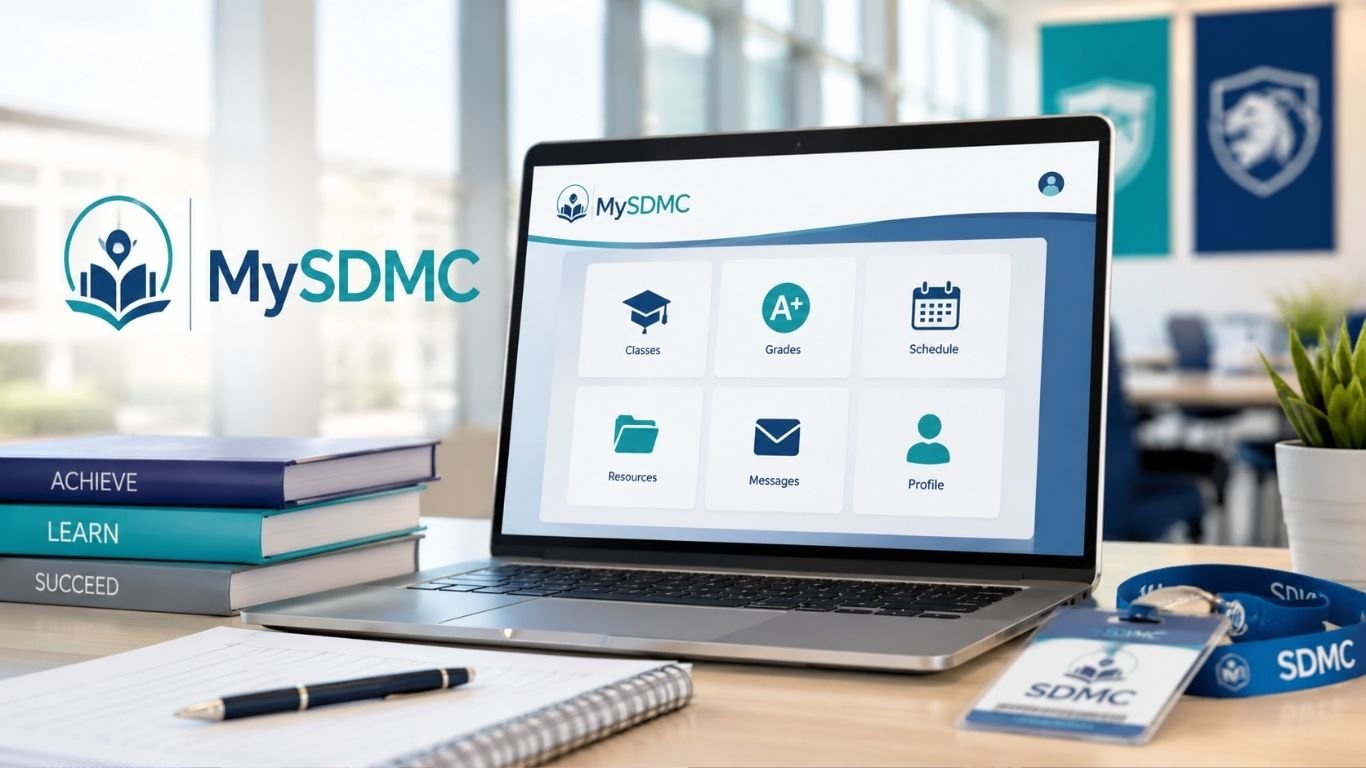
MySDMC is the online access point used by the School District of Manatee County in Florida. It gives students, teachers, and staff one place to reach school apps and digital tools. The district links users to its ClassLink sign-on page from its official website, so people do not have to hunt for each school service on its own.
The system is useful because school work now depends on many online tools. A student may need a learning app, a class portal, or another district service in the same day. A single sign-on page can make that process faster and easier.
What Is MySDMC?
MySDMC is the School District of Manatee County’s single sign-on portal. It runs through ClassLink LaunchPad. The official login page gives users a central place to sign in, use a QuickCard, check browser support, or start password recovery.
Single sign-on, often called SSO, means a user signs in through one main system and then opens approved school services from that account. This can cut down on repeated logins. It also helps students keep school tools in one place.
The exact apps shown on the dashboard can vary by user. A teacher may see different tools from a student. Access can also depend on grade level, school, and district settings.
How to Log In to the SSO Launchpad
To open MySDMC, go to the official School District of Manatee County SSO page. The district website also provides a direct “My SDMC SSO” link. This is a safer route than using an unknown login page found through an ad or random search result.
On the portal, select the sign-in option and enter the login details given by the district or school. The page also offers a QuickCard sign-in choice and a password-help link. A browser check is available as well.
Students should avoid saving district passwords on a public computer. After using a shared device, sign out of the portal and close the browser.
Using a QuickCard to Sign In
Some students may use a ClassLink QuickCard instead of typing a username and password. A QuickCard uses a QR-style code that can be read by a device camera. ClassLink describes this as another way to enter a school LaunchPad account.
To use this option, open the MySDMC login page and choose the QuickCard sign-in method. Then allow the camera if the browser asks for access. Hold the card where the camera can read the code.
If the card does not scan, check the camera lens and the lighting. Make sure the full code is visible. If the card is lost, damaged, or no longer works, the student should contact the school rather than using another person’s card.
What You Can Find After Signing In
The main value of the portal is convenience. Instead of opening several bookmarks, users can start from one dashboard. The apps shown there are tied to the district’s setup and the user’s account.
ClassLink LaunchPad supports a “My Apps” style experience and can use password lockers for services that need separate credentials. ClassLink says users may be able to edit stored app passwords or add account details for supported apps. These options depend on how an organization configures its LaunchPad.
That means not every student will see the same controls. If an expected class app is missing, the best first step is to check with the teacher or school support team.
Password Help and Account Recovery
Forgotten passwords are common, especially after a school break or a device change. The MySDMC login screen includes a “Help, I forgot my password” option. ClassLink’s own help material says users can start the reset process from that link on a school’s login page.
Follow the steps shown on the screen. If recovery does not work, do not keep guessing passwords for a long time. The account may have rules that are controlled by the district.
ClassLink also notes that it does not know a school’s user passwords and tells users to contact their school when they need help with login details.
MySDMC Focus App for Parents and Students
The MySDMC Focus app serves a different purpose from the ClassLink LaunchPad. It is designed to help families stay connected with school information on a phone or tablet.
According to the official App Store and Google Play listings, the app can provide notifications for grades, attendance, upcoming assignments, and test scores. It also gives access to school news and useful links for items such as cafeteria payments and bus routes.
The app is published for the School District of Manatee County and is developed by Focus School Software. Android users can find it on Google Play, while iPhone and iPad users can use the Apple App Store.
ClassLink LaunchPad vs. Focus: What Is the Difference?
It is easy to confuse the two services because both are linked to school access. They are not the same tool.
MySDMC through ClassLink is mainly an SSO starting point for school apps. Focus is centered more on student information and family updates. The official Focus parent portal also provides account options for parents, including registration and help for forgotten login details.
A student may use ClassLink to open learning services during the school day. A parent may use Focus to review grades or attendance. In some cases, a family may use both systems for different tasks.
How Parents Can Use the School Portal More Effectively
Parents do not need to check every school system all day. A simple routine works better. Review grades and attendance at a regular time, then look at assignments that need attention.
The Focus app can send updates, which can reduce the need to log in again and again. Still, notifications should not replace direct talks with a child or teacher. A grade shown online may need context.
If a parent has more than one student, the Focus parent portal includes an option to add another student to an existing account. This can make it easier to keep school records in one place.
Common Login Problems and Easy Fixes
Most MySDMC login problems are simple. A wrong password, old browser session, blocked camera, or saved login can cause trouble.
Start by checking that you are on the official Manatee County school login page. Then close and reopen the browser. ClassLink’s troubleshooting guidance also suggests clearing cache and cookies for some common browser issues.
If QuickCard login fails, check camera permission and lighting. If the page does not load well, use the portal’s Browser Check option. If an app opens but then asks for another password, that app may use separate credentials.
When the problem affects only one class tool, ask the teacher if the app is still assigned. When the whole account fails, contact the school or district support channel.
Staying Safe While Using School Accounts
A school login can contain access to private education records, so basic account safety matters. Never share a password or QuickCard image with friends. Do not post a card photo online.
Students should also be careful with fake login pages. A page that looks similar to the district portal may still be unsafe. Use the link from the official School District of Manatee County website or a saved school bookmark.
Parents should keep their Focus login private as well. If a password may have been exposed, change it as soon as possible through the approved recovery process.
Tips for a Faster Daily School Routine
MySDMC can save time when students use it as the normal starting point for online school work. Keep the official portal bookmarked on the main browser. This avoids repeated searches and lowers the chance of opening the wrong site.
Before class starts, make sure the device has internet access and the browser is updated. Students who use a QuickCard should keep it in a safe place where it does not bend or get scratched.
It also helps to close old tabs at the end of the day. Too many open school apps can make a device feel slow and can confuse younger users. A clean start each morning is often easier.
Why the SSO System Is Useful for Schools
A school district may use dozens of digital services. Asking students to remember a separate route to every tool can make school work harder than it needs to be.
A central portal gives users a familiar starting point. Teachers can spend less class time explaining where students need to go. Students can also move between approved tools without searching the web each time.
This setup is especially useful for younger students. QuickCard access can remove the need to type a long username or password each morning. Older students can use the standard district login and reach the tools assigned to them.
The portal does not remove every login issue. Some apps may still need their own account details. Yet putting common school resources behind one starting page can make the daily process much simpler.
Bottom Line
MySDMC gives Manatee County students and staff a simple route into district-approved digital services, while the Focus app helps families follow grades, attendance, assignments, and other school information. The two tools work best when users understand the job of each one.
For sign-in, always start with the official district link. Use QuickCard when it is assigned, use password recovery when needed, and contact the school when account details cannot be fixed through the portal.
A few basic habits can make online school access much smoother. Bookmark the right page, protect login details, and keep the browser ready for class. That keeps the focus on school work instead of login problems.
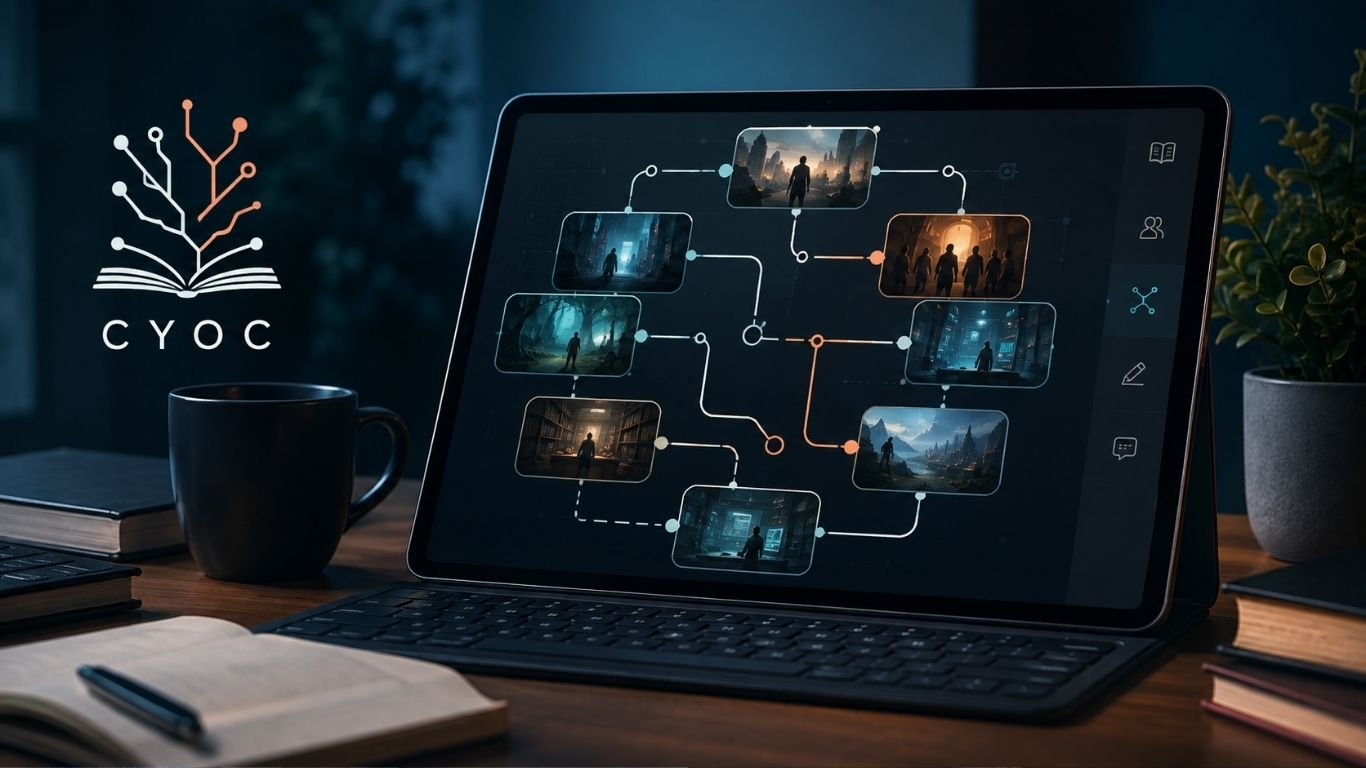
CYOC is short for Choose Your Own Change. It is an online story archive built around branching fiction. Instead of reading one fixed plot from start to finish, readers can follow different paths. Writers can also add new branches, choices, and outcomes to an existing story.
The site is best known for transformation-based fiction. Its stories often focus on characters who change in body, age, species, identity, or form. WikiFur describes the project as a transformation-focused story archive and forum, with roots going back to 2001.
What makes the format interesting is simple: the reader is not locked into one ending. A single choice can send the story in a new direction. That makes the archive feel less like a normal book and more like a growing story tree.
What Is CYOC?
CYOC is a collaborative interactive fiction website. Its full name, Choose Your Own Change, explains the main idea. A story starts with a scene or setup. At the end of a section, readers may find several possible directions.
One branch may turn the character into an animal. Another may change the character’s age. A third may move the plot into a strange fantasy setting. Writers can then continue those paths with new scenes.
This structure gives the site a community-built feel. One author may start a story. Other users can expand it in ways the first writer did not expect. The result is a large set of connected story paths rather than one fixed novel.
How the Branching Story Format Works
A normal short story has one route. The writer decides what happens next. Interactive fiction changes that rule.
On CYOC, each scene can act like a fork in the road. The reader chooses a path, opens the next part, and keeps moving through the story. Some routes may be short. Others can grow into long chains with many branches.
This format makes rereading more useful. A reader can return to an earlier choice and select another route. That can lead to a different character, setting, change, or ending.
For writers, the system also lowers the barrier to entry. They do not always need to create a whole novel. They can contribute one strong branch and leave room for others to continue it.
Why Choose Your Own Change Feels Different
The main appeal is control. Readers get a say in how the story develops. Even a small choice can change the next scene.
CYOC also feels different because stories can be built by many people. That means tone and style may shift from branch to branch. One section may be serious. Another may be playful, strange, or much darker.
This can create uneven results, but it is also part of the site’s identity. The archive works more like a shared creative space than a polished book series.
The idea is close to classic choose-your-own-path books. But the open community model gives writers much more room to experiment.
The Role of Transformation Fiction
Transformation is the core theme behind much of the archive. WikiFur notes that the site covers many kinds of change, including human-to-animal stories, age changes, and other shifts in body or identity.
That broad focus gives CYOC many possible story setups. A character may wake up in a new form. A device may cause an unexpected change. A spell, accident, costume, game, or strange object may start the plot.
The change itself is often only the beginning. The more interesting question is what happens after it. Does the character try to reverse it? Do they accept it? Do they hide it or use it?
Those choices give writers plenty of space for comedy, fantasy, horror, drama, or surreal fiction.
Community Writing and Shared Story Worlds
Collaborative writing is one of the strongest parts of the format. A branch does not have to end when its first author stops writing.
Another person can take the same setup and move it in a new direction. This allows a single idea to produce many different results.
CYOC can therefore act as both an archive and a writing playground. Readers may become writers after finding a branch that gives them a new idea.
This also means stories can grow in unusual ways. A simple opening scene may become a huge network of choices over time. Some branches may stay close to the original theme. Others can move far away from it.
There is no need for every path to reach the same ending. In fact, different outcomes are part of the point.
What Readers Can Expect
New readers should not expect every story to feel the same. The archive is community driven, so quality, length, tone, and structure can vary.
Some sections may be only a few paragraphs. Others may form long story chains. A branch may stop without a clear ending if no writer continues it.
CYOC is also known for mature transformation themes, so readers should pay attention to labels, warnings, and site rules before opening content. WikiFur classifies it as a mature story archive.
That matters because its subject range can be much wider than standard fantasy fiction. Visitors should choose stories that match their interests and comfort level.
Why Writers Use the Platform
The platform can appeal to writers who enjoy short and flexible creative work. You do not need to plan every chapter before you begin.
A writer can focus on one scene, one choice, or one strange idea. That makes the format useful for testing concepts and practicing pacing.
It also creates a simple creative challenge. You must write a section that feels complete enough to satisfy the reader, but open enough to support new branches.
CYOC can be especially useful for writers who enjoy alternate outcomes. Instead of deleting an idea that does not fit one route, they can turn it into another path.
This approach can also reduce the pressure of writing a large project. A good contribution may only need to move one part of the story forward.
Tips for Writing Better Interactive Branches
Good branching fiction needs clear choices. The reader should understand what each option might change, even if the result still contains a surprise.
Keep scenes focused. Long blocks of setup can slow the pace. Give the character a goal, problem, or decision early.
It also helps to respect what came before. If you continue another writer’s branch, read the earlier sections first. Keep names, rules, and key details consistent unless the new branch has a reason to change them.
On CYOC, a useful branch should move the story forward. It should not only repeat the same scene in different words.
Choices should also feel different from each other. If two options lead to almost the same result, the reader may wonder why the choice was offered at all.
Good branches create curiosity. They make readers want to see where the next click will take them.
Common Themes Found in the Archive
The site centers on change, but that still leaves a large range of themes. Stories may use magic, science fiction, fantasy creatures, alternate realities, strange technology, or simple accidents.
Some plots focus on physical change. Others explore how a change affects daily life, social roles, memory, or relationships.
CYOC works best when the transformation has a clear effect on the plot. A change should create a new problem, choice, risk, or goal.
For example, a character who suddenly gains a strange form may have to decide whether to hide it. Another may search for a cure. Someone else may discover that the change gives them an unexpected advantage.
Without those effects, the story can feel like a list of events rather than an interactive narrative.
Benefits and Limits of Collaborative Fiction
Shared writing can produce ideas that one writer may never create alone. A new author can spot a path that the first author missed.
It can also keep old stories alive. A forgotten branch may gain new life when another writer decides to continue it.
But collaboration has limits. Writing quality can vary. Story logic can break. A branch may end suddenly. Some paths may repeat ideas found elsewhere.
That is normal for an open archive. CYOC trades strict editorial control for creative freedom. Readers who understand that are more likely to enjoy the format for what it is.
This loose structure is part of the appeal. You never know how large a branch may become or where another writer will take it.
Is Choose Your Own Change Still Worth Exploring?
For people who like interactive stories and transformation fiction, CYOC remains an unusual example of community-built storytelling. Its history stretches back to the early 2000s, when it first operated under the ChooseYourChange.com name before moving to its current domain.
Its biggest strength is not polish. It is choice.
Readers can follow different routes, return to old scenes, and see how one setup can split into many outcomes. That gives the same starting point far more replay value than a standard short story.
Writers also get a simple way to join an existing story without creating a full world from scratch. They can take one idea, add their own twist, and leave another choice for the next person.
In that sense, CYOC is less like a normal fiction site and more like a large, shared story tree. Each branch adds another possible version of what could happen next.
Bottom Line
CYOC gives readers a different way to enjoy online fiction. Instead of following one fixed plot, they can explore different choices, paths, and endings. That makes each story feel more open and interactive.
The platform also gives writers room to build on ideas from other users. One story can grow into many branches, each with its own direction. For fans of transformation fiction and community writing, CYOC offers a creative space where stories can keep changing with every new choice.

Edivawer is a name used for a new digital learning idea. It brings several tools into one model. These include online study, virtual spaces, AR, wearable tech, and learning by doing. A public presentation breaks the name into Education, Digital, Virtual, Augmented, Wearable, Experiential, and Revolutionary. It links the idea with 3D lessons and mixed digital tools.
The idea fits a wider shift in online study. Many learning systems now test AI, VR, AR, and digital simulations. These tools can make some lessons more active. They can also help students see things that are hard to show in a normal class. Yet they bring new costs and new limits too. Research into digital education has identified AI, VR, and AR as tools that may support more personal and learner-focused study.
This guide explains the idea in plain words. It looks at how the tools may work, who may use them, and where the weak points are.
What Is Edivawer?
Edivawer can be seen as an immersive learning concept. It is not just about watching a video or reading a lesson. The goal is to let a learner take part in the lesson.
A student may enter a 3D room. They may move an object, test a model, or follow a task. The public slide deck tied to the name describes VR, AR, and standard screens as parts of one learning setup.
Public proof of a large, well-known company behind the name is limited. So it is safer to treat it as an emerging idea or label unless a school or seller gives clear product facts. This is an inference from the limited public material currently tied to the term.
The name joins seven terms. They are Education, Digital, Virtual, Augmented, Wearable, Experiential, and Revolutionary.
Each word points to one part of the model. “Digital” means tech-based study. “Virtual” means a made-up computer space. “Augmented” means digital items shown over the real world. “Wearable” can mean a headset or smart glasses.
“Experiential” is the key idea. It means a person learns through action. The learner does more than sit and watch.
How Immersive Learning Works
Normal online study often uses text, video, tests, and live calls. Immersive study adds a sense of place. It may also add movement and direct action.
Think of a science lesson. A student could walk through a 3D model of a cell. In job training, a worker could practice a task in a safe digital room. A history class could view a model of an old site.
Research on VR learning has found that virtual settings can raise the sense of immersion. Some studies also report better transfer of certain lessons to real tasks. The results depend on the lesson and the way the tool is built.
How Edivawer May Use AI
AI may help make lessons fit each learner. It can check quiz scores, pace, and common errors. It may then suggest more practice or a new level.
That can save time for teachers. It may also give students quick feedback. But AI should not be treated as a perfect teacher. It can make errors. It can also miss context.
A sound system still needs human review. Schools also need clear rules for student data. The aim should be useful support, not tech for its own sake. Research on newer education models also stresses the need to deal with ethical and practical issues when advanced digital tools enter learning systems.
The Role of Virtual Reality
VR puts a learner inside a digital space. A headset is the usual tool. Some 3D spaces can also run on a normal screen.
For Edivawer, VR may be most useful when a real lesson is hard to run. A lab may be costly. A machine may be unsafe for a new worker. A field trip may be too far away.
A virtual version can let the learner try again. It can also let a class view the same scene from many places. Still, VR is not needed for every topic. A short text or video may work better for a simple lesson.
Research into distance learning has studied VR as one possible way to improve interaction, focus, and the sense of being present in a lesson. The same research also notes that more study is needed to understand where it works best.
The Role of Augmented Reality
AR keeps the learner in the real world. It adds digital text, images, or 3D items on top of what the person sees. This is different from VR, which places the user inside a digital setting.
A phone or tablet can often do this. A student may point a camera at a page and see a 3D model. A trainee may look at a machine and see labels for each part.
This can make hard ideas easier to see. It may also be easier to use than full VR because many people already own a phone or tablet.
Wearable tools can add another layer. Smart glasses, headsets, or motion sensors may track action or show steps while the learner works. But these devices need money, care, updates, and safe-use rules.
Why Learning by Doing Matters
People often understand a skill better when they can try it. That is the main point of hands-on study.
A person learning first aid can practice steps. A mechanic can study a machine part. A science student can test a process many times. The learner gets a task, makes a choice, and sees what happens.
This is one of the main ideas behind Edivawer. The screen becomes a place to act, not just a place to read. That can be useful when practice has real value. Research into virtual learning also links immersion with active tasks, interaction, and simulated real-world settings.
Edivawer for Students and Teachers
Students may get more ways to learn. Some may prefer text. Others may understand a 3D model faster. A mixed system can give both options.
Teachers may use these tools for demos, practice, and review. A virtual task can also be run many times. That may help in large classes or remote courses.
Still, good teaching comes first. A bright 3D room cannot fix a weak lesson. Teachers need a clear goal, fair checks, and simple steps. The tech should serve the lesson.
Studies of immersive education also point to teacher training as an important issue. New tools are much less useful when teachers do not have the time or skills needed to use them well.
Can Content Creators Use Edivawer?
Some web articles also link the term with content creation. They describe it as a tool or idea that may help creators build digital work. Those claims are less clear than the education focus in the public slide deck.
The wider use still makes sense in theory. A course maker could build a 3D demo. A trainer could create a virtual task. A teacher could use AI to help plan a quiz or adapt a lesson.
Before using any service with this name, check the real product details. Look for the owner, price, privacy terms, support, and feature list. A broad idea and a working product are not the same thing.
That check matters because public pages can describe the same term in different ways. One may frame it as a learning system, while another may focus on creator tools.
Main Benefits and Main Limits
The biggest benefit is active learning. A learner can see, move, test, and repeat. That may be useful for lessons that are hard to explain with words alone.
Access can also improve in some cases. A student may visit a virtual place without travel. A trainee may use a digital machine without risk. A class may repeat the same task at low added cost.
But there are limits. Headsets can be costly. Some systems need strong internet. Teachers need time to learn the tools. Some users may feel sick or tired in VR.
Privacy also matters. Schools must know what data a system collects and why. Research on AR and VR education has also identified cost, technical demands, and teacher training as real barriers.
Is Edivawer the Future of Digital Learning?
Edivawer reflects a real trend in education tech. AI, VR, and AR are now part of research on more personal and more active forms of study. Work on Education 5.0 also lists these tools as possible parts of learner-focused education.
But not every class needs a headset. Books still work. Videos still work. A teacher and a whiteboard may be the best choice for many lessons.
The likely future is mixed. Basic work may stay on normal screens. Immersive tools may be used when 3D space, safe practice, or direct action adds clear value.
This mixed approach is also close to research on virtual and physical classrooms. Such work looks at ways to join real spaces with digital ones instead of replacing one with the other.
What to Check Before Using It
Start with the learning goal. Ask what the tool helps a student do. If the answer is vague, the tool may not be worth the cost.
Then check access. Can it run on a phone, PC, or tablet? Does it need a headset? Is fast internet needed? Can students with different needs use it?
Next, check privacy and support. Read the data rules. Look for clear contact details. Ask who owns the service and how updates work.
For Edivawer or any similar system, proof matters. Look for real demos, clear terms, user support, and test results that can be checked. Do not judge an education product only by claims about AI or immersive tech.
Final Thoughts
Edivawer is best viewed as an immersive learning idea built from several forms of digital tech. Its public description connects online education with VR, AR, wearables, 3D spaces, and learning by doing.
The idea has promise because it puts action at the center of digital study. Yet the name itself is still not as well documented as major learning platforms. That makes careful checking important.
A useful learning tool does not need to look futuristic. It needs to help people learn. If immersive tech does that in a clear, safe, and fair way, then it can earn a place in the classroom.

What Is Tracqueur? Types, Uses, Benefits and Features

MySDMC Portal Explained: SSO Login, Focus App and Common Fixes

What Is CYOC? A Guide to Interactive Branching Stories
Who Is Gale Burnick? The Story Of George R. R. Martin’s Ex Wife

Who Is Alicia Dove? The Life Story Of Corey Taylor’s Wife

Who Is Anna Hillinger? The Full Life Story Of Mike Shinoda’s Wife
-
Celebrity2 months ago
Who Is Gale Burnick? The Story Of George R. R. Martin’s Ex Wife
-
 Celebrity1 month ago
Who Is Alicia Dove? The Life Story Of Corey Taylor’s Wife
-
 Celebrity1 month ago
Who Is Anna Hillinger? The Full Life Story Of Mike Shinoda’s Wife
-

 Celebrity2 months ago
Who Is Sydney Davis? The Full Story Of Billy Bush’s Ex Wife
-

 Celebrity1 month ago
Meet Carole Rogers: Everything to Know About Kenny Rogers’ Daughter
-

 Celebrity1 month ago
Who Is Demacio Castellon? Life Story Of Nelly Furtado’s Ex Husband
-

 Celebrity2 months ago
Who Is Hermann Nicoli? The Full Story Of Candice Swanepoel’s Former Fiancé
-

 Celebrity2 months ago
Who Is Kate Luyben? Inside the Life of Jim Jefferies’ Former Partner