
Technology
What Is AICOT? OMRON’s Solar Anti-Islanding System Explained

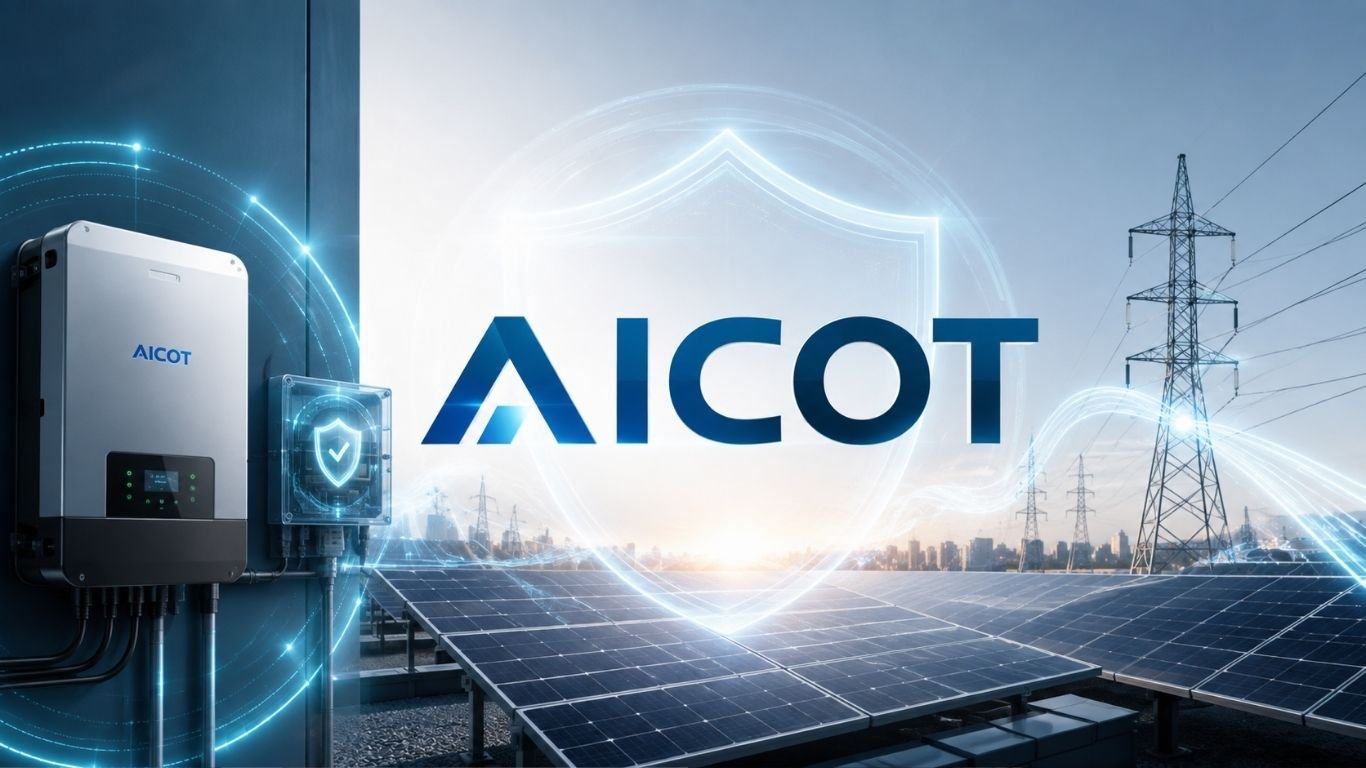
Solar power works best when many systems can connect to the same utility grid without creating new safety risks. When an outage happens, grid-connected solar inverters must recognize the loss of utility power and stop sending electricity into the affected section of the grid.
AICOT was developed by OMRON Corporation to address a harder version of that problem. Its full name is Anti-Islanding Control Technology. The technology is designed for places where many photovoltaic systems operate close together and conventional anti-islanding methods can interfere with one another. OMRON describes it as technology created to prevent dangerous islanding in multi-unit solar installations.
What Is AICOT?
AICOT is OMRON’s anti-islanding control technology for solar power conditioners, also known as PV inverters. It detects conditions linked to a utility outage and helps stop a solar generation system from continuing to energize an isolated part of the grid.
The technology became important as rooftop solar grew in dense areas. A single inverter can monitor the grid and react to a fault. Many nearby units make the task harder because their detection signals may interact.
OMRON says it successfully developed the technology in 2008 after years of research into clustered photovoltaic systems. Commercial power conditioners equipped with it went on sale in July 2011.
Why Islanding Is a Serious Solar Safety Problem
“Islanding” happens when a section of the electric network becomes disconnected from the utility supply but continues to receive power from local generation. In a solar installation, that local source may be one or more PV inverters.
This creates a clear hazard. Utility workers may expect a disconnected line to be dead while solar systems are still feeding power into it. Islanding can also complicate grid restoration. OMRON has cited electrical shock, equipment problems, and fire risk among the concerns linked with unintended islanding.
For that reason, grid-tied inverters include anti-islanding protection. Their job is not just to convert solar DC electricity into usable AC power. They must also watch grid conditions and respond when normal utility power disappears.
Why Multiple Solar Inverters Create a Harder Problem
Traditional anti-islanding methods often use both passive monitoring and active detection. Passive methods watch electrical values such as voltage and frequency. Active methods introduce a small controlled change and observe how the grid responds.
The trouble begins when many inverters use active detection in the same area. One unit’s action can interact with another. Those effects may weaken the signals used to identify an outage.
OMRON studied this multi-unit interference problem in a Japanese demonstration project on clustered photovoltaic systems. The company found that interference between connected generation systems could stop conventional anti-islanding functions from working as intended.
How AICOT Detects Grid Failure
AICOT uses a control method designed to recognize changes linked with the start of an outage and respond before islanded operation continues. MathWorks says OMRON engineers modeled electrical power and control systems to study frequency changes that occur when utility power is lost.
The control logic reacts to those changes, making detection better suited to areas with many connected solar systems.
OMRON’s technical material describes the method as an active islanding detection system based on frequency feedback with step injection of reactive power. Put simply, the inverter watches how grid frequency behaves, applies a controlled electrical response, and uses that behavior to help judge whether the utility grid is still present.
Frequency Feedback Is the Key Engineering Idea
The value of AICOT comes from how its active detection method works around other inverters. A poorly coordinated method can create interference when many systems operate on the same distribution network.
A frequency-feedback approach was developed to avoid the problems that appeared with clustered PV systems. This matters in housing developments, commercial sites, and other areas where many solar installations may connect close together.
OMRON tested its anti-islanding technology at Pal Town Josai-no-Mori in Ota, Gunma Prefecture. By December 2009, the demonstration involved 554 equipped units with a combined generation output of 2,129 kW.
MATLAB and Simulink Helped OMRON Build the Control System
OMRON used Model-Based Design tools from MathWorks during development. Engineers worked with MATLAB, Simulink, and Simscape Electrical to model the electrical network and the inverter control system.
Simulation let the team study what happens as an outage begins. Engineers could change conditions, inspect frequency behavior, and check the algorithm before relying on physical prototypes.
According to MathWorks, the development process cut integration testing time in half. Data analysis became four times faster. The simulation tools also allowed engineers to reproduce important test conditions while developing the control algorithm.
AICOT Reduced Multi-Unit Interference Testing
One of the strongest practical benefits was a reduction in field verification work.
OMRON’s 2012 annual report says multi-unit solar installations previously required interference testing. Engineers attached individual meters to power conditioner assemblies and checked whether the systems affected one another.
Those tests could take one to two months. That delay could affect project delivery schedules.
Power conditioners using AICOT removed the need for this interference testing in multi-unit systems, according to OMRON. So the benefit was not limited to better control software. The technology could also simplify the process of installing clustered solar generation.
Why the Technology Helped High-Density Solar Grow
A neighborhood full of rooftop solar is different from a few isolated installations. The local network must manage many independent power sources at the same time.
AICOT gave OMRON a way to support denser deployment without treating every group of nearby inverters as a new interference problem. That made the technology useful for housing developments and solar communities where large numbers of roofs could produce electricity.
OMRON has also said the technology can reduce spending on extra safety equipment and increase the amount of solar generation that can be installed in an area. Its wider purpose was to remove technical barriers to greater photovoltaic adoption.
Development History and Industry Recognition
OMRON says its research into clustered photovoltaic grid connection began in 2003 with Kandenko and other organizations in Ota, Japan. After six years of technical development, the company reported success with its multi-unit anti-islanding technology in 2008.
The technology later moved into commercial products. OMRON started selling equipped power conditioners in July 2011.
In 2013, an OMRON photovoltaic power conditioner using the company’s anti-islanding control technology received recognition through Japan’s New Energy Grand Prix program.
OMRON also announced in 2015 that its industry-first multi-unit anti-islanding technology had been standardized. These milestones show how the work moved from research into commercial grid-connected products.
How AICOT Differs From Basic Anti-Islanding Protection
Basic anti-islanding protection and OMRON’s system have the same broad safety goal. Both aim to prevent an inverter from sustaining an unintended electrical island after utility power disappears.
The difference is the environment they are built to handle.
A conventional approach may work well with a limited number of nearby systems. OMRON’s technology was created around clustered installations where the detection methods of many inverters may affect one another. MathWorks notes that the control technology was designed to detect outages even when hundreds of solar generation systems were installed close together.
AICOT should therefore not be viewed as a separate type of solar panel or inverter. It is a control technology integrated into compatible power conditioners. Its main value comes from the way it handles anti-islanding detection in multi-unit environments.
What AICOT Means for Modern Solar Engineering
The core problem behind AICOT is still relevant. Rooftop solar, batteries, smart inverters, and other distributed energy resources place more control electronics at the grid edge.
Modern grid codes and inverter designs continue to evolve. So one control method does not define all present-day solar safety requirements. Still, OMRON’s work provides a useful example of how control software and power electronics can solve a real electrical-grid problem.
It also shows the value of simulation. Engineers can model faults, test inverter behavior, and study interactions before hundreds of physical devices are connected to a live network. MathWorks continues to use grid-connected inverter development as an application for tools such as Simulink and Simscape Electrical.
Conclusion
AICOT was created to solve a specific weakness in high-density solar deployment. Anti-islanding systems could interfere with one another when many inverters operated close together.
OMRON combined power-electronics research, grid testing, and model-based control design to tackle that problem. The result reduced lengthy interference testing and supported larger groups of connected photovoltaic systems.
And that is the key point. Solar safety is not only about producing clean electricity. A grid-connected system must also know when utility power has disappeared and react correctly. In dense solar areas, that task becomes much harder. OMRON’s technology was designed to make it safer and easier to manage.


Rethinking the Traditional 3D Design Process
Three-dimensional content is becoming increasingly important across digital entertainment, product development, education, and personalized manufacturing. From character figures and decorative objects to digital props and product prototypes, 3D models help people visualize ideas in ways that flat images cannot fully achieve. However, creating these assets traditionally requires a combination of modeling skills, design experience, and specialized software.
For newcomers, even a relatively simple object can involve a steep learning curve. Artists must understand geometry, proportions, surface details, materials, and file formats before they can produce a model that meets their expectations. Experienced designers face a different challenge: repetitive modeling tasks can consume valuable time that could otherwise be spent refining concepts or developing more ambitious projects.
Hi3D addresses these challenges with an AI-powered approach to three-dimensional creation. The platform helps users transform visual references into 3D assets and provides additional tools for texturing, model preparation, and printing-oriented workflows. By simplifying AI 3d modeling, it allows creators to use existing images as a foundation for their work rather than requiring every project to begin with a blank modeling workspace.
This approach makes 3D creation more approachable for beginners while offering experienced users another way to accelerate early production stages. Whether someone is exploring a personal project or developing assets for a larger creative workflow, Hi3D provides a practical environment for moving from an initial idea toward a three-dimensional result.
Turning Visual Inspiration Into Editable Assets
Many creative projects begin with a reference rather than a finished design. A photograph might inspire a collectible, an illustration could become the basis for a game character, or a product image might help a designer explore a new concept. Converting these references into three-dimensional geometry, however, is not always straightforward.
Hi3D offers image-to-3D generation that allows users to upload a picture and create a corresponding 3D model. Its AI models interpret the visible subject and generate geometry intended to represent its shape, proportions, and structural features. This gives users a starting point without requiring them to construct every component manually.
The workflow can be useful for a wide range of subjects, including animals, characters, household objects, accessories, and decorative designs. For example, a hobbyist interested in creating a small animal figurine can start with a suitable photograph instead of building the entire shape from primitive objects. A digital artist can use an illustration as a reference for developing a three-dimensional character.
Reference quality remains important. Images with clear silhouettes, visible features, and limited obstruction generally provide more useful information than blurry or heavily cropped pictures. When the back of an object is not visible, the generation system must infer its appearance, so the result may differ from the actual object.
For projects where additional visual information is available, Hi3D also supports multiview generation. Users can provide multiple views of the same subject to give the AI more information about its shape. This can be particularly helpful when proportions or hidden structural details are important to the intended result.
The generated asset can then be reviewed, exported, or refined in compatible software. This makes image-based generation a useful starting point for people who want to focus more on creative decisions and less on repetitive initial modeling.
Exploring New Designs With AI Assistance
Not every project starts with an existing photograph. Sometimes, creators have only a rough idea of what they want to make. They may know the theme, mood, or general appearance of an object without having a drawing or reference image ready.
Hi3D supports text-to-image creation, allowing users to explore visual concepts through natural-language descriptions. By describing a subject and its intended appearance, creators can generate inspiration images that help them develop an idea before moving into 3D production.
Consider a designer planning a futuristic desk accessory. The initial concept might include smooth surfaces, geometric shapes, and a minimalist appearance. Instead of manually drawing several alternatives, the designer can explore different visual directions and select a reference that better communicates the intended design.
The same process can help artists develop fantasy creatures, themed decorations, stylized characters, and collectible concepts. Multiple visual directions make it easier to compare proportions, decorative elements, and overall aesthetics before choosing a design to develop further.
This is particularly useful during brainstorming because early creative decisions can influence every subsequent production stage. Establishing a clearer visual direction may reduce unnecessary revisions and make it easier to communicate an idea to collaborators.
Visual concept generation and 3D modeling still serve different purposes. An attractive image does not automatically provide accurate dimensions or production-ready geometry. Hi3D helps connect these stages by offering image-based 3D generation, giving users a way to develop selected concepts into three-dimensional assets.
Improving Model Quality With Advanced Generation
The usefulness of an AI-generated model depends on more than whether it resembles the original image at first glance. Important features can become less convincing when a model is viewed from another angle or examined closely. Distinctive contours, small accessories, facial details, and surface characteristics can all affect the final result.
Hi3D v3.0 focuses on improving the fidelity of generated 3D assets. Its official product materials highlight higher-resolution generation, improved structural representation, and detailed surface results. The v3.0 workflow offers 2048-cubed resolution options, including 2048quality and 2048master, with different settings suited to different quality and processing requirements.
Higher-resolution generation can help preserve more geometric information, but resolution should not be treated as the only measure of quality. A model must also represent the subject coherently, maintain appropriate proportions, and contain geometry suitable for its intended use.
Hi3D supports geometry generation and workflows that combine geometry with textures. Depending on the selected mode, users can generate the model’s shape first and add surface appearance afterward, or generate geometry and texture together.
This flexibility is useful because different projects prioritize different characteristics. A simple object intended for basic printing may not need elaborate surface materials. A digital asset intended for presentation may benefit from more detailed textures and realistic material properties.
For example, a decorative object may require recognizable contours and clean geometry, while a character asset may rely heavily on the visual treatment of clothing, hair, and accessories. Selecting an appropriate generation workflow helps users focus on the qualities that matter most to the project.
Even with advanced AI models, generated assets may need additional adjustments. Professional applications can require specific topology, optimized geometry, accurate dimensions, or other technical characteristics. Hi3D provides a foundation for further work rather than guaranteeing that every generated model is immediately suitable for every application.
Adding Character Through AI Texturing
Geometry establishes an object’s three-dimensional shape, but surface appearance often determines how viewers interpret the finished asset. AI 3D model texturing helps add materials, colors, and texture details that distinguish a polished metal object from a wooden ornament or give a digital character a particular visual style.
Hi3D includes AI-assisted texturing capabilities that help users develop the appearance of 3D models. Its texture workflow supports the creation of more detailed surfaces, including physically based rendering materials where available.
Physically based rendering, commonly known as PBR, describes how materials interact with light through properties such as color, roughness, and metallic appearance. These properties can help digital assets look more consistent across different lighting conditions and rendering environments.
Texturing can be useful when an initially generated model has the correct general form but needs a more developed visual identity. A plain decorative object might benefit from a stone-like finish, while a stylized character could require a distinctive surface treatment to match an artistic direction.
Creators can also explore different appearances without rebuilding the underlying geometry from scratch. This separation between shape and surface treatment supports experimentation and can make visual revisions more manageable.
However, texture quality should match the intended application. A surface that looks convincing in a rendered image may not translate directly into the physical characteristics of a printed object. Users preparing models for manufacturing should distinguish visual texture information from actual geometric features, particularly when fine details need to be physically reproduced.
Making Complex Designs Easier to Print
Moving from a digital model to a physical object introduces challenges that do not necessarily appear during on-screen inspection. A large model may exceed a printer’s build volume, while complicated shapes may require extensive supports or careful positioning.
Hi3D offers a split-to-print workflow designed to help users divide models into separate printable components. The platform can generate separated parts and supported connection structures, helping creators prepare complex objects for assembly.
For example, a large decorative figure may be easier to produce when its body and smaller components are printed separately. Individual pieces can be oriented to improve accessibility, reduce certain support requirements, or fit within the available printing area.
The platform’s splitting functionality is intended to simplify the process of separating a model and organizing its components. Depending on the design and selected settings, connectors can help users align the parts during assembly. Automatic arrangement also helps prepare components for the next stage of printing.
This is useful for hobbyists who want to create larger collectibles, decorative sculptures, or multipart objects without manually planning every cut. It can also help designers explore physical prototypes that would be inconvenient to print as a single piece.
Nevertheless, automatic splitting cannot eliminate the need for practical checks. Connection strength, assembly tolerances, component orientation, and material behavior can affect the final result. Users should inspect the separated pieces and test critical connections when reliability matters.
Bringing Color Into Physical Creations
Color can transform a simple model into a more expressive object. Character figures, miniature decorations, toys, and personalized gifts often depend on clearly defined color regions to achieve their intended appearance.
Preparing such models for multicolor printing can involve identifying boundaries, organizing materials, and ensuring that each color is assigned to the appropriate part of the design. Hi3D includes a multicolor-printing workflow that helps users prepare color-separated models for supported production processes.
The system is designed to identify color regions and their boundaries, with options that help manage the number of colors used. This can reduce some of the manual work involved in preparing a multicolor asset and provide a more structured starting point for slicing.
For example, a character may have separate regions for its clothing, hair, accessories, and other visual features. A decorative object may use contrasting colors to emphasize particular shapes. Organizing these regions helps users understand how the digital design can be translated into a physical print.
The practical results depend on the printer, available materials, slicing software, and selected settings. Fine details may require correction, and some color transitions may be difficult to reproduce with particular hardware.
By incorporating color preparation into its broader creation workflow, Hi3D helps users consider physical appearance earlier in the design process rather than treating printing preparation as an entirely separate task.
Creating More Than Conventional Solid Models
Some images are better suited to relief-style objects than fully three-dimensional representations. Illustrations, logos, decorative artwork, and certain photographs can be transformed into raised surfaces that preserve recognizable visual elements.
Hi3D provides an image-to-3D relief feature for creating relief models from images. Unlike a conventional full-volume object, a relief uses variations in height to represent visual information on a surface.
This approach can support decorative plaques, artistic panels, personalized ornaments, and other projects where a raised image is more appropriate than a fully modeled object. It also provides another way to explore how existing artwork can be adapted for physical production.
For instance, a creator could use an illustration as the basis for a decorative panel or develop a personalized design that incorporates raised visual details. The result can then be evaluated and exported in a supported format for further preparation.
Relief creation is particularly useful when the original image’s visual composition matters more than reconstructing the complete shape of the depicted subject. As with other generation workflows, users should review the resulting geometry, thickness, and detail levels before printing.
Connecting Creative Workflows With Common File Formats
A useful 3D creation tool should allow users to continue working with their assets beyond the original platform. Different applications and production methods rely on different file formats, so export flexibility can influence how easily a model fits into an existing workflow.
Hi3D supports several formats, including OBJ, GLB, STL, FBX, USDZ, and 3MF for relevant generation workflows. These formats address different needs across digital design, visualization, and 3D printing.
STL is widely used in printing workflows because it represents surface geometry. OBJ is commonly used for exchanging model geometry and associated material information. GLB can package a model and related scene resources into a convenient format, while FBX is frequently used in digital content creation pipelines. USDZ is relevant to supported augmented reality workflows, and 3MF is designed to carry richer information for additive manufacturing.
Choosing the correct format depends on what happens next. A creator preparing a physical object may prioritize compatibility with slicing software, whereas a developer creating a digital experience may need a format that preserves the relevant materials and scene information.
Exporting a model does not automatically guarantee that every property will transfer perfectly. Users should verify geometry, materials, scale, and compatibility in the destination application. Still, support for multiple formats makes it easier to incorporate AI-generated assets into different creative environments.
Supporting Individual Creators and Professional Teams
Hi3D can serve different purposes depending on the user’s experience and objectives. Beginners may value its image-based workflows because they provide a way to explore 3D creation without first learning every traditional modeling technique.
Hobbyists can use the platform to experiment with personalized objects, collectibles, decorative designs, and projects intended for 3D printing. Artists can develop reference-based assets, explore alternative visual treatments, and prepare models for further refinement. Designers can use generated geometry as an early starting point for evaluating concepts.
Professional teams may find value in using AI generation to accelerate prototyping and asset exploration. Game developers can investigate concept-based props and characters, while product teams can use generated models to communicate early ideas. Educational projects may also benefit from turning visual references into three-dimensional representations that learners can examine.
For organizations building their own applications, Hi3D provides API access to supported generation capabilities. Developers can investigate integrating image-to-3D generation, multiview workflows, model splitting, and multicolor generation into existing software or automated content pipelines.
API-based integration requires technical planning, including authentication, task handling, file management, and validation of generated outputs. Its suitability depends on the organization’s requirements and implementation resources.
Across these different scenarios, the central benefit is the ability to use AI to reduce some of the initial effort involved in creating 3D content while retaining the option to refine the results according to the project’s needs.
Starting a New Project With Hi3D
A productive way to explore Hi3D is to begin with a clear and manageable creative goal. Users can choose a reference image, generate an initial model, and review whether the result captures the important characteristics of the subject.
From there, the workflow can follow different directions. A digital artist may export the model for further editing, while a printing enthusiast may inspect the geometry and prepare the object for fabrication. Someone exploring decorative designs might experiment with relief generation, textures, or multicolor preparation.
Starting with a relatively simple object helps users understand how reference quality, generation settings, and intended use influence the output. More complex projects can follow once the basic workflow becomes familiar.
Hi3D brings image-based generation, texturing, relief creation, model splitting, multicolor preparation, and flexible export options into a connected creative environment. These capabilities offer users different ways to approach the transition from a visual idea to a three-dimensional asset.
By reducing some of the barriers associated with traditional modeling, Hi3D makes it easier for people to experiment with 3D content and develop ideas into models that can be reviewed, refined, shared, or prepared for physical production. The platform provides a starting point for creative exploration while allowing users to apply their own judgment and technical knowledge where a project requires greater precision.

The internet gives people access to information, entertainment, and communication tools within seconds. Whether someone is attending an online class, managing a business, or relaxing with digital content, a reliable connection has become essential. Alongside these conveniences, users are increasingly interested in protecting their privacy and understanding how their online connections work.
A Virtual Private Network (VPN) can help users add another layer of privacy to their internet activity. iTop VPN is an option for people who want to explore VPN technology through a convenient application and make more informed decisions about their digital security.
Understanding Your Digital Footprint
Every online activity can leave behind some form of digital information. Websites may record visits, applications can collect usage data, and online accounts can store details about user preferences. The amount of information collected depends on the service, its settings, and the information a person chooses to share.
An IP address is another part of an internet connection. It identifies the public connection being used and can sometimes provide an approximate geographic location.
A VPN can help limit the direct exposure of the user’s original IP address by routing traffic through a remote server. Websites generally see the VPN server’s address instead. This provides an additional privacy measure, although it does not prevent all forms of tracking.
Discovering What iTop VPN Offers
iTop VPN is designed to make VPN connections accessible without requiring extensive technical knowledge. Users can manage their connection through a dedicated application instead of manually configuring complex networking settings.
After opening the application, users can generally choose an available server and establish a connection. The selected server becomes the route through which their internet traffic passes.
Connection performance can vary depending on server distance, network congestion, and the quality of the internet connection. Trying available servers may help users find an option that suits their needs.
Before relying on any VPN service, users should also review its privacy policy, available features, and connection requirements.
A Useful Tool for People on the Move
Travel often means connecting to networks outside the home or workplace. Hotels, airports, conference venues, and public cafes commonly offer Wi-Fi to visitors.
Although these networks are convenient, users may not know how they are configured or managed. A VPN can encrypt traffic between the device and the VPN server, adding another layer of protection to the connection.
Using iTop VPN may be helpful when browsing through unfamiliar networks, especially as part of a broader security routine. Travelers should continue avoiding suspicious websites, checking links before opening them, and keeping their devices updated.
A VPN does not eliminate every risk associated with public Wi-Fi, but it can contribute to a more considered approach to connection privacy.
Exploring a Free VPN Before Committing
Not everyone wants to pay for a VPN without first understanding its benefits. A free VPN can offer a convenient starting point for people who want to learn how VPN technology works.
However, free plans differ considerably. Some impose data limits, restrict server selection, or provide fewer advanced features than paid subscriptions. Others may have different privacy practices that users should understand before connecting.
Choosing a service should involve more than comparing prices. Users should investigate how the provider handles personal information, whether its policies are transparent, and which features are included.
For occasional browsing, a free option may meet basic requirements. People who need a VPN throughout the day may prefer to compare available plans and decide whether additional capabilities justify the cost.
Protecting More Than Your IP Address
A VPN can help protect a network connection, but good digital security requires several complementary habits. Users should create strong passwords and avoid reusing the same credentials across different websites. Enabling two-factor authentication can provide extra protection for important accounts.
Regular software updates are equally valuable because they can fix known security vulnerabilities. Users should also be cautious about downloading unfamiliar files or responding to messages that request passwords, payment details, or other sensitive information.
It is important to remember that a VPN cannot prevent every cyberattack. It does not automatically block all malware, identify every fraudulent website, or make online activity completely anonymous.
Choosing a Setup That Fits Your Needs
Different people use VPN services for different reasons. A remote worker may prioritize a stable connection, while a traveler may value server availability. Someone exploring VPN technology for the first time may prefer a simple interface and an affordable way to test basic features.
Identifying these priorities helps users select an appropriate service without paying for features they do not need. It also makes it easier to understand when a VPN is useful and when other security measures are more important.
Final Thoughts
Protecting an internet connection is one part of maintaining better digital privacy. Understanding IP addresses, using trusted services, and developing safe browsing habits can help users make more informed choices online.
iTop VPN offers a convenient way to explore VPN technology, while a free VPN can provide an accessible introduction for people who want to try basic features before purchasing a subscription.
By combining appropriate VPN protection with strong passwords, updated software, and careful handling of personal information, users can build a more practical and balanced approach to everyday internet security.


A computer’s performance depends on several factors, including hardware specifications, software compatibility, and system configuration. Whether you use your PC for gaming, video editing, office work, or everyday browsing, keeping your system properly maintained can help you get more value from your existing hardware.
Understanding how to maintain drivers, evaluate component compatibility, and assess overall system performance can make it easier to identify problems and plan future upgrades. With the right approach, you can make informed decisions without spending money on unnecessary hardware changes.
Keep Your System Updated With the Latest Drivers
Drivers allow your operating system to communicate with hardware components such as graphics cards, processors, sound devices, and network adapters. When drivers are outdated, corrupted, or incompatible, you may experience errors, reduced stability, or problems running certain applications.
Taking time to update drivers can help improve hardware compatibility and resolve known issues. Graphics driver updates, for example, may introduce game optimizations, improve support for new applications, and fix graphical glitches. Network driver updates can also address certain connectivity problems.
You can check for suitable updates through Windows Update or the official website of your hardware manufacturer. NVIDIA, AMD, and Intel provide driver resources for their supported graphics products and other hardware.
Before installing a driver, confirm that it is compatible with your device and operating system. Avoid downloading files from unfamiliar websites, and consider creating a restore point before making significant changes.
Although installing the newest driver does not guarantee faster performance, keeping important drivers maintained can help your computer remain stable and compatible with current software.
Understand Hardware Compatibility With a Bottleneck Calculator
Building or upgrading a computer involves choosing components that work well together. For example, pairing a powerful graphics card with an older processor may limit performance in certain games. Similarly, a less powerful graphics card may struggle with demanding visual settings even when the processor has plenty of capacity.
A bottleneck calculator provides an estimate of how different hardware components may perform together. Users typically enter their processor, graphics card, resolution, and sometimes their intended workload to receive an assessment of potential performance limitations.
This information can be useful when planning a new PC build or deciding which component to upgrade. It may help identify hardware combinations that deserve additional research before you make a purchase.
However, calculator results should be treated as general guidance rather than exact predictions. Actual performance varies depending on the application, game engine, resolution, graphics settings, memory capacity, and cooling conditions.
For example, a processor limitation may be more noticeable in competitive games running at lower resolutions, while graphics performance may become the primary limitation at higher resolutions with demanding visual effects.
To make a better decision, compare independent hardware benchmarks and monitor CPU and GPU utilization while running the programs you use most often. These methods provide more practical information about your computer’s real-world performance.
Evaluate Your Computer With Rate My PC Tools
Knowing your hardware specifications is useful, but understanding how your system compares with other configurations can provide additional insight. Performance assessment tools can help users review their computer’s capabilities and identify potential areas for improvement.
The phrase rate my PC is commonly used for services that evaluate computer specifications, benchmark results, or overall hardware configurations. Depending on the platform, you may be able to enter your processor, graphics card, memory, and storage details to receive an assessment of your setup.
These tools can be particularly helpful for gamers who want to determine whether their computer is suitable for specific titles. They may also assist users who are considering an upgrade and want to understand which components deserve attention.
However, an overall rating cannot explain every performance issue. Two computers with similar specifications may perform differently because of cooling, power limits, background applications, and software configuration.
Use ratings as a starting point rather than a final judgment. Compare component specifications, review trustworthy benchmark results, and consider your actual requirements before making changes.
Combine These Methods for Better Results
Driver maintenance, hardware compatibility checks, and performance assessments work best when used together. Begin by identifying what you want to improve, whether it is gaming performance, faster application loading, or smoother multitasking.
Check relevant driver updates, use a bottleneck calculator to investigate potential component limitations, and explore rate my PC tools to evaluate your current setup. If performance remains disappointing, examine other possible causes, including overheating, insufficient RAM, limited storage space, and unnecessary background processes.
Avoid upgrading components simply because a calculator or rating tool suggests a potential limitation. First, confirm that the limitation affects your everyday tasks and that the proposed upgrade is likely to provide a meaningful benefit.
Conclusion
Maintaining an efficient computer requires a combination of software management and informed hardware decisions. Taking time to update drivers can improve compatibility, a bottleneck calculator can help assess component balance, and rate my PC tools can provide a useful overview of your system.
By combining these resources with real-world testing and careful planning, you can identify potential improvements, make smarter upgrade decisions, and get more reliable performance from your computer.

Hi3D: Bringing Ideas to Life Through AI-Powered 3D Creation

Make Everyday Internet Use More Secure With iTop VPN

Parke Official and Mixed Emotions: Everyday Style Meets Modern Streetwear
Who Is Gale Burnick? The Story Of George R. R. Martin’s Ex Wife

Who Is Alicia Dove? The Life Story Of Corey Taylor’s Wife

Meet Carole Rogers: Everything to Know About Kenny Rogers’ Daughter
-
Celebrity3 months ago
Who Is Gale Burnick? The Story Of George R. R. Martin’s Ex Wife
-
 Celebrity3 months ago
Who Is Alicia Dove? The Life Story Of Corey Taylor’s Wife
-
 Celebrity3 months ago
Meet Carole Rogers: Everything to Know About Kenny Rogers’ Daughter
-

 Celebrity3 months ago
Who Is Sydney Davis? The Full Story Of Billy Bush’s Ex Wife
-

 Celebrity3 months ago
Who Is Hermann Nicoli? The Full Story Of Candice Swanepoel’s Former Fiancé
-

 Celebrity3 months ago
Who Is Demacio Castellon? Life Story Of Nelly Furtado’s Ex Husband
-

 Celebrity3 months ago
Who Is Anna Hillinger? The Full Life Story Of Mike Shinoda’s Wife
-

 Blog2 months ago
Thetechyx.com: A Complete Guide to Its Tech, Business, and Digital Content