
Blog
Where Is Telephone Code 603? Cities, Location and Key Facts

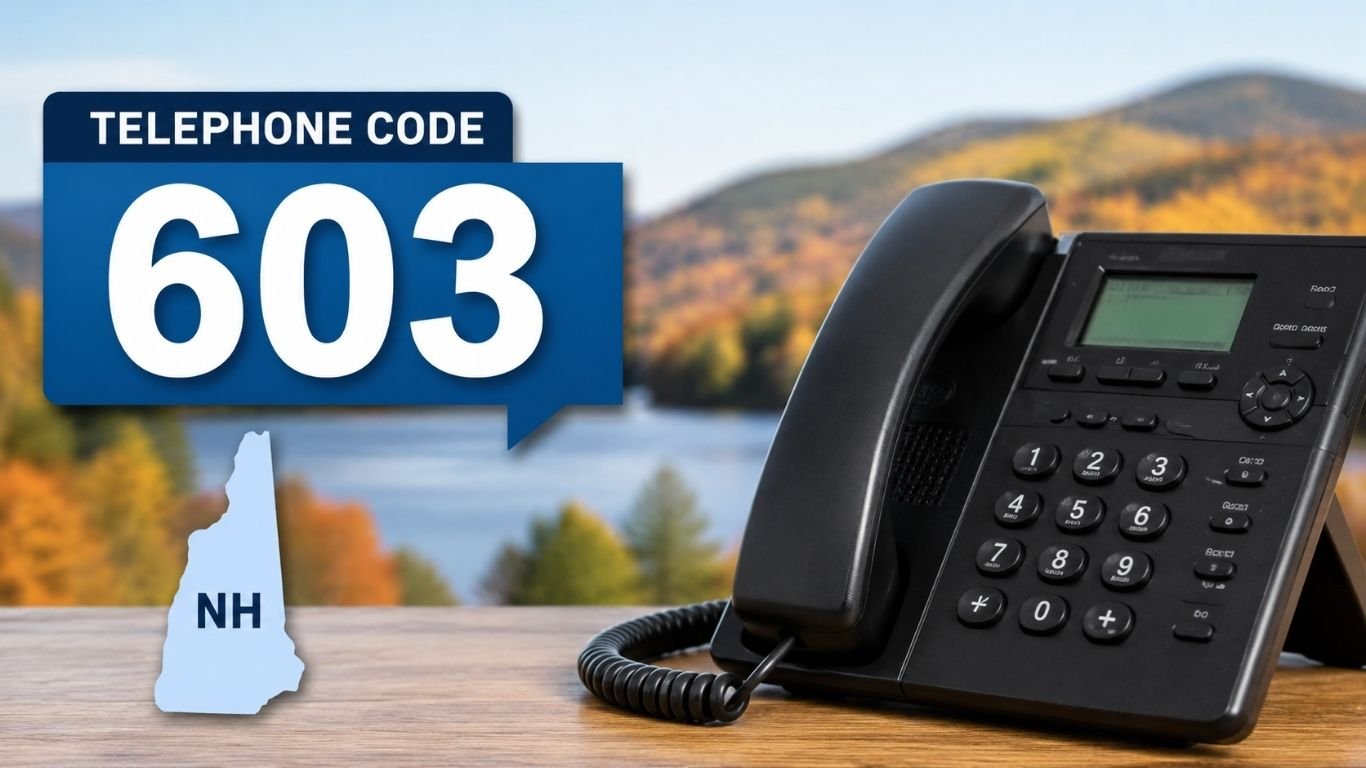
The telephone code 603 belongs to New Hampshire in the United States. It covers the whole state, from Manchester and Nashua to Concord, Portsmouth, and small northern towns. That makes 603 one of the easiest U.S. area codes to place on a map.
It is part of the North American Numbering Plan, or NANP. New Hampshire has used 603 since 1947, and the code has become a familiar part of the state’s identity.
But 603 can also appear in other telecom settings. A Malaysian number may look like +603, and VoIP systems use “603 Decline” as a SIP response. Those uses do not mean the same thing. Here is how to tell them apart.
What Is Telephone Code 603?
The telephone code 603 is the area code for the entire state of New Hampshire. A standard number has the form 603-XXX-XXXX.
In the NANP, the first three digits mark a numbering plan area. The next three digits identify an exchange, and the last four identify the individual line or account. Since New Hampshire still has one statewide code, people in very different parts of the state can share the same first three digits.
For calls from outside the North American system, the full format is +1 603 XXX XXXX. The +1 is the country calling code used by the United States and other NANP members. The 603 part then identifies the New Hampshire numbering area.
Where Is the 603 Area Code Located?
The telephone code 603 covers all of New Hampshire, a New England state in the northeastern United States. It is not limited to one county, metro area, or region.
The code reaches the southern part of the state near Massachusetts, the Seacoast, the Lakes Region, the White Mountains, and communities farther north. That statewide reach is unusual today because many states use several area codes.
A 603 number usually points to a New Hampshire number assignment. Still, it does not prove where the caller is standing. Mobile users can keep numbers after moving, and caller ID can be spoofed.
Major Cities and Time Zone
Manchester is the largest city served by the telephone code 603. Nashua, Concord, Dover, Rochester, Portsmouth, Keene, Laconia, Lebanon, Claremont, and Berlin also use it.
The code alone cannot tell you the exact city. You may need the exchange digits and carrier information to learn where a number was first assigned.
New Hampshire is in the Eastern Time Zone. It uses Eastern Standard Time during part of the year and Eastern Daylight Time when daylight saving time applies. If you are calling from the U.S. West Coast, New Hampshire is normally three hours ahead.
How to Dial a 603 Phone Number
For a call within the United States, use all 10 digits: 603 + the seven-digit local number. New Hampshire moved to mandatory 10-digit dialing in 2021 because 988 became a nationwide three-digit number for the Suicide & Crisis Lifeline. The FCC listed 603 among the area codes that needed the change.
If you are calling New Hampshire from another country, use your international access method and then dial +1 603 followed by the seven-digit local number.
Simple Dialing Examples
A domestic format may look like 603-555-0123. The same number in international format would be +1 603 555 0123.
Your carrier or office phone system may have extra rules, but storing the number in +1 format often works well on mobile phones.
History of Telephone Code 603
The telephone code 603 dates to 1947. A New Hampshire executive order issued in 2023 described 603 as one of the original 86 numbering plan areas created under the North American Numbering Plan. It has remained the state’s sole area code since then.
That is a long run. Many original codes were split as population and phone use increased. Others received overlay codes, which place two or more area codes over the same geographic area.
New Hampshire avoided those changes through number conservation and more efficient allocation. The result is a code that many residents now see as more than a technical prefix.
Why New Hampshire Still Uses One Code
The telephone code 603 has lasted partly because phone-number blocks are managed more carefully than they once were. Carriers historically received large groups of numbers even if they needed only a portion of them.
Number pooling changed that process. Smaller blocks can be assigned where needed, reducing waste. New Hampshire has also pushed providers to return or better use number resources that are sitting idle.
These steps do not create an endless supply, but they can delay the need for a second code. State officials have made that delay a public goal because 603 has become a recognizable New Hampshire identifier.
Is +603 a Country Code?
The telephone code 603 should not be confused with a country calling code. There is no separate international country code “+603.”
Malaysia uses +60 as its country calling code. Kuala Lumpur and Selangor use area code 3. So an international landline number from that region may begin +60 3. When the spaces are removed, it can look like “+603.” The International Telecommunication Union lists Malaysia under country code +60.
The difference is simple. New Hampshire numbers use +1 603. Malaysian Kuala Lumpur-area numbers use +60 3. Those are two separate numbering systems.
What Does SIP 603 Decline Mean?
The number 603 also appears in internet calling, but this use has nothing to do with geography. In Session Initiation Protocol, or SIP, 603 Decline is a call response.
RFC 3261 places 603 among the 6xx global failure responses. It is used when the called user or system declines the session. In plain language, the destination was reached, but the call was not accepted.
If you see “603 Decline” in a PBX log, VoIP dashboard, or SIP trunk report, do not read it as the telephone code 603. It is a technical status code, not a New Hampshire phone prefix.
Can a 603 Number Be a Scam?
A number using the telephone code 603 can belong to a real resident, company, school, clinic, or government office. But the familiar prefix does not make every call trustworthy.
Scammers can spoof caller ID so a call looks local. Someone may also keep a 603 mobile number after moving to another state. Caller ID therefore tells you what number is being presented, not with certainty who is calling or where that person is located.
Be cautious if an unknown caller asks for passwords, one-time codes, gift cards, bank details, or urgent payment. If the caller claims to represent a company or public office, hang up and contact that organization through a verified number.
Future of the 603 Area Code
The telephone code 603 remains New Hampshire’s only area code in 2026. At some point, demand could require another code, because every numbering area has a limited supply of possible numbers.
The latest NANPA exhaust analysis, published in April 2026, projected 603 to exhaust in the fourth quarter of 2040. NANPA also shows that this estimate has moved over time, so it should be treated as a forecast rather than a fixed deadline.
If relief becomes necessary, regulators could approve an overlay or another numbering plan. Existing customers would normally keep their current numbers. A new code would mainly affect future assignments.
Why the 603 Code Matters to New Hampshire
For residents and local businesses, 603 has become an easy shorthand for New Hampshire. It appears in business names, local branding, merchandise, and community references.
That local meaning is one reason the state has worked to extend the code’s life. Yet the practical side matters too. Keeping one area code simplifies the idea of a statewide phone identity, even though 10-digit dialing is now required.
For a business, a 603 number can suggest a New Hampshire connection. It should not, however, be treated as proof of a physical office. Virtual phone services and number portability make that assumption unreliable.
Bottom Line
The telephone code 603 is New Hampshire’s statewide area code. It has served the state since 1947 and covers Manchester, Nashua, Concord, Portsmouth, Dover, and every other New Hampshire community.
Use all 10 digits for domestic dialing. From abroad, use +1 603 followed by the seven-digit number. And remember the two common lookalikes: +60 3 is a Malaysian format, while SIP 603 is a technical decline response.
603 has lasted far longer than many original U.S. area codes. For now, it remains both a working phone prefix and a strong New Hampshire marker.
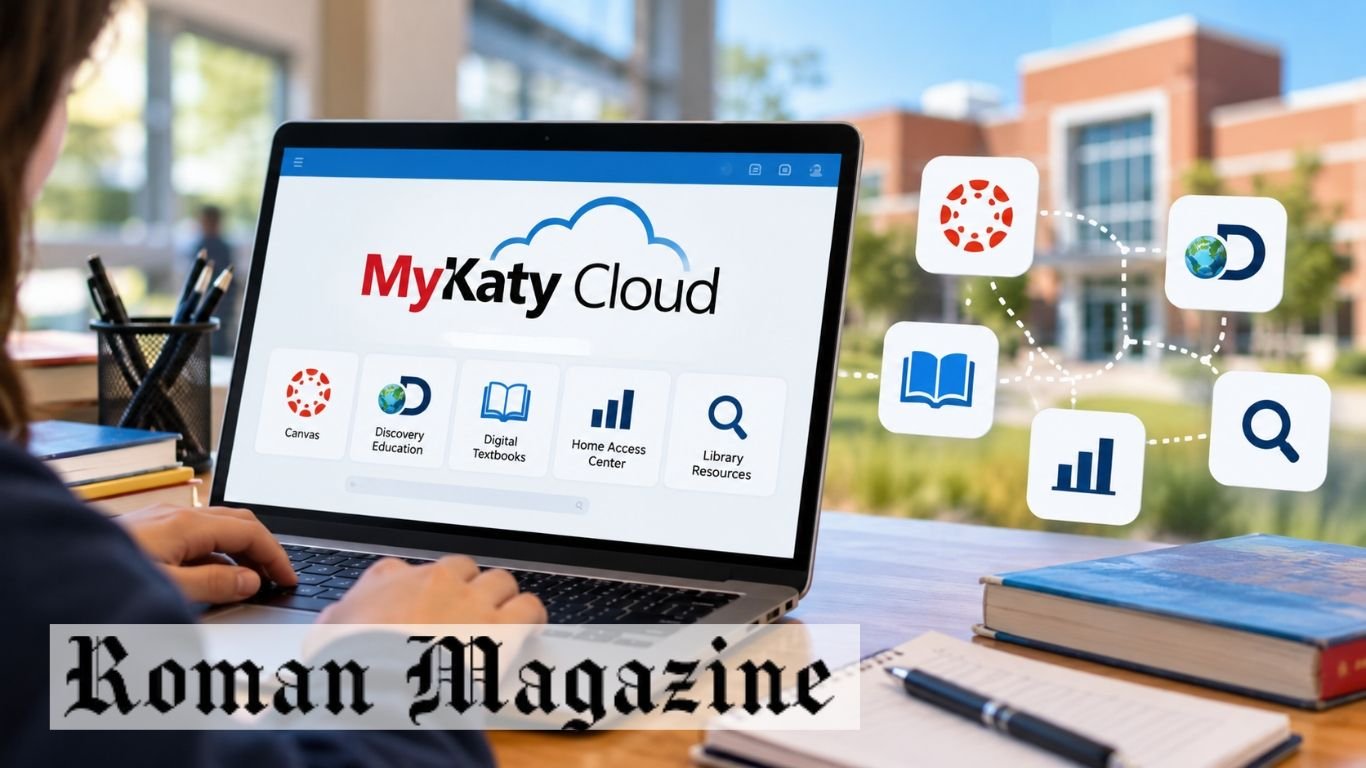
MyKaty Cloud is an online school portal for Katy Independent School District (Katy ISD) in Texas. It gives students, teachers, staff, and parents access to school tools in one place. Users can open learning apps, digital books, and other school resources through a single login.
The portal connects users to tools such as Canvas, Discovery Education, and the Home Access Center (HAC). This guide explains how to log in, use its main features, access school apps, and fix common account problems.
What Is MyKaty Cloud?
MyKaty Cloud is a web portal used by Katy ISD. It brings school apps and online resources together. Students can find learning materials, while teachers can open tools used for classwork.
The portal uses single sign-on (SSO). This means users can sign in once and open many supported apps without entering a new password each time. The tools shown may depend on the user’s school and account type.
How Does MyKaty Cloud Work?
The portal works through a web browser. Users visit the official website and sign in with their school account. After login, they can see the apps and resources linked to their account.
Each app has its own purpose. Some help with schoolwork, while others provide books or research tools. Users can select an app from the dashboard to open it.
How to Log In to MyKaty Cloud?
Students and staff can access the portal at mykaty.katyisd.org. They use their assigned Katy ISD ID and password to sign in. After login, they can open the tools available to them.
Parents and guardians may use their Home Access Center (HAC) login details for supported services. They may also need to complete multi-factor authentication (MFA). Always use the official district website when entering account details.
MyKaty Cloud for Students
Students use the portal to access school apps and learning resources. They can open digital textbooks, find class materials, and use tools assigned by their teachers.
Canvas is one of the main learning tools available through the portal. Students can use it to view classwork and assignments. They can also access approved online resources when studying at home.
MyKaty Cloud for Teachers and Staff
Teachers and staff use the portal to reach district-approved tools. These may include learning apps, teaching materials, and other school resources.
Teachers can open supported apps without signing in to each one again. This makes it easier to move between classroom tools during the school day. Available apps depend on the user’s role and access rights.
MyKaty Cloud for Parents and Guardians
Parents and guardians can use supported Katy ISD services to follow their child’s school progress. The Home Access Center is an important tool for viewing grades and other student details.
Parents can access HAC through the district’s online services. They may need to set up multi-factor authentication to protect their accounts. Families who have login problems can contact their child’s school for help.
Main Features of MyKaty Cloud
The main feature of MyKaty Cloud is single sign-on. It lets users open many school apps with one account. The portal also brings digital books, learning tools, and research resources into one place.
The portal works on internet-connected devices with a supported browser. Students can use it at school or home. The apps shown on the dashboard depend on the user’s account.
Educational Apps Available Through MyKaty Cloud
The portal provides access to several school tools. Canvas helps students and teachers manage classwork. Discovery Education offers videos and other digital learning materials.
Students may also find online textbooks and library research databases. Some resources are linked to certain schools or grade levels. Not every user will see the same apps.
How to Access Canvas Through MyKaty Cloud?
Students and teachers can open Canvas from the portal when it is available on their dashboard. They sign in to their school account and select the Canvas app.
Canvas helps students view course materials, check assignments, and complete work set by teachers. If the app does not open, users should check their internet connection and try signing in again. They can contact school support if the problem continues.
MyKaty Cloud and Home Access Center (HAC)
The Home Access Center helps parents and students view school records. It provides access to grades and other academic details made available by Katy ISD.
HAC and Canvas serve different purposes. Canvas is mainly used for classwork and learning materials. HAC is used to check official student information and grades. Users can visit the Katy ISD Home Access Center to access the service.
How to Reset Your MyKaty Cloud Password
Users who forget their password should follow the district’s account recovery steps. Students may need help from their school if they cannot sign in.
Parents can check the Katy ISD Technology Support page for help. They can also contact their child’s campus. Do not share passwords with anyone who is not authorized to access the account.
Common MyKaty Cloud Login Problems and Fixes
Login problems may happen because of an incorrect password, a wrong user ID, or a poor internet connection. Users should check their login details and make sure their device is connected to the internet.
If a page does not load, try refreshing it or opening it in another browser. Parents who cannot complete MFA should follow the district’s support steps. If the account still does not work, contact Katy ISD technology support.
MyKaty Cloud on Phones, Tablets, and Computers
The portal can be opened on computers, phones, and tablets with internet access. Users can visit the official website through a supported browser.
Students can use Windows computers, iPhones, iPads, and Android devices to reach online school tools. Some apps may work better on larger screens. A steady internet connection helps pages and learning materials load correctly.
MyKaty Cloud Account Security and Privacy
School accounts may contain private student details. Users should keep their passwords safe and avoid sharing them with others.
Parents may need multi-factor authentication when using supported district services. This adds another step to the login process. Users should also sign out after using a shared computer and avoid entering passwords on unknown websites.
Benefits of Using MyKaty Cloud
The portal gives students one place to find many school resources. They can open approved learning apps and digital books without searching for each service.
Teachers can access tools used for classroom work. Parents can use connected district services to check student information. The single sign-on system also reduces the number of passwords needed for supported apps.
Final Thoughts
MyKaty Cloud helps Katy ISD students, teachers, staff, and families access school tools online. It connects users to learning apps, digital textbooks, and other district resources.
Students can use it for schoolwork, while parents can reach services such as HAC. For safe access, always use official Katy ISD links. Contact the school or district support team if you have trouble signing in.
FAQs
What is MyKaty Cloud used for?
MyKaty Cloud gives Katy ISD users access to school apps, digital textbooks, and online learning resources.
How do students log in to MyKaty Cloud?
Students visit mykaty.katyisd.org and sign in with their assigned Katy ISD ID and password.
Can parents access MyKaty Cloud?
Parents can use supported district services with their assigned login details and may need MFA.
How can I open Canvas through MyKaty Cloud?
Sign in to the portal and select Canvas from your dashboard if the app is available.
What should I do if MyKaty Cloud is not working?
Check your login details and internet connection, then contact Katy ISD support if the issue continues.
Read Also: Cook Øerne: Complete Guide to the Cook Islands in 2026

Gustoma is a restaurant marketing agency that helps food businesses attract local customers and increase sales. It uses a three-step system that includes business planning, food content, and paid ads. The agency focuses on profit margins, customer spending, and table turnover.
The team also creates food photos, short videos, and local ad campaigns. It visits restaurants to produce content and manages paid ads. Restaurant owners can book a free 15-minute call to discuss their needs.
What Is Gustoma?
Gustoma is a marketing agency that helps restaurants reach local customers. Its services include menu planning, food photography, video production, and paid ads. The agency uses restaurant data to plan its marketing work.
Many restaurants share photos and videos on social media. These posts may get likes and views, but they do not always bring in customers. The agency focuses on sales, customer spending, and profit instead.
Restaurant owners can learn about its services at Gustoma.com. The agency uses food content and local ads to help restaurants reach people who may want to visit.
How the Gustoma Growth Framework Works?
The Gustoma growth framework has three steps. These include restaurant planning, content creation, and paid advertising. Each step supports the next part of the marketing plan.
First, the team reviews menu prices, customer spending, and table turnover. It uses this data to plan offers that can help the restaurant earn more profit. The goal is to attract customers without cutting profit too much.
Next, the team visits the restaurant to take food photos and make videos. It then uses this content in Meta Ads and Google Ads. These campaigns focus on people who live or work near the restaurant.
Gustoma Restaurant Analysis and Planning
The agency starts by looking at how a restaurant runs. It reviews menu prices, customer spending, and table turnover. These details help the team plan offers that fit the business.
Average ticket value shows how much a customer spends during a visit. For example, if two people spend $40, each person spends $20 on average. This number helps restaurants understand customer spending.
Table turnover shows how often a table serves new groups during a set time. More table use can lead to higher sales when the restaurant has enough staff. The team uses these numbers to guide its marketing plans.
Gustoma Menu Strategy and Profitable Offers
The Gustoma menu strategy focuses on dishes and offers that can bring in more profit. The agency reviews menu prices and food costs before planning promotions. A popular dish may not always earn the most money.
For example, a burger may sell for $12 and cost $5 to make. This leaves $7 before other business costs. Another dish may sell for $15 and cost $6 to make. That leaves $9 before other costs.
The team uses menu data to plan special offers and meal deals. These offers may help customers spend more. Restaurants must also check their costs before giving discounts. A low price can bring in customers but reduce profit.
Gustoma Food Photography and Video Production
Food photos and videos are part of the agency’s marketing service. Its content team visits restaurants with professional camera gear. The team handles filming, photography, and editing.
The content can show meals, drinks, and menu items. Close-up photos help people see how the food looks. Short videos can show how dishes are prepared or served. Restaurants can use this content in their online ads.
The agency handles the main content work for restaurant owners. Owners do not need to film or edit each video themselves. The team prepares the content for use in marketing campaigns.
Social Media Marketing With Gustoma
Social media helps restaurants show their food to local customers. Facebook and Instagram allow businesses to share food photos, videos, and special offers. These posts can help people learn about a restaurant.
However, views and likes do not always lead to sales. A food video may reach many people without bringing them into the restaurant. The agency uses paid ads to reach people who may be more likely to visit.
For example, a restaurant can promote a lunch deal with a short video. The ad can show the food, price, and offer. People who live or work nearby can then see the promotion.
How Gustoma Uses Meta Ads
Gustoma uses Meta Ads to promote restaurants on Facebook and Instagram. These platforms let businesses target people in certain areas. This helps restaurants reach customers who live or work nearby.
The agency focuses its ads on a set area around each restaurant. This can help avoid spending money on people who live too far away. Local targeting is useful for businesses that depend on nearby customers.
The ads may include food photos, short videos, and meal offers. Their goal is to bring more people into the restaurant. Results depend on the offer, local demand, and ad costs.
Gustoma Google Ads for Local Customers
Google Ads helps restaurants reach people who are searching for places to eat. These searches may include nearby restaurants, food types, or dining options. Ads can appear when people look for these services.
The agency uses Google Ads to reach customers in areas near a restaurant. This helps focus ad spending on people who may be able to visit. The campaigns support its local marketing plan.
Google Ads and Meta Ads reach people in different ways. Google Search ads can reach people who are already looking for food. Meta ads can show meal offers while people browse social media. Both can help restaurants reach local customers.
How Gustoma Focuses on Restaurant Revenue?
The Gustoma approach focuses on sales and profit rather than social media likes. Online views can show interest, but they do not prove that a restaurant has made more money.
Average ticket value helps show how much each customer spends. Table turnover shows how often tables serve new groups. Both numbers help restaurants review their daily sales.
Profit margins are also important. A restaurant may make more sales but earn less profit if its costs rise. Food, staff, and ad costs must be checked against sales. This helps owners see whether their marketing is worth the money spent.
Gustoma Services and Restaurant Owner Involvement
Gustoma offers restaurant planning, food content, and paid advertising. These services are part of its three-step marketing system. The team uses business data to guide its work.
The agency visits restaurants to create photos and videos. It also handles editing and paid ad campaigns. This reduces the amount of content work restaurant owners need to manage.
Owners still need to share business details and explain their goals. The agency needs to understand menu prices, customer spending, and restaurant capacity. This helps the team plan offers that fit the business.
Who Can Benefit From Gustoma?
Restaurants that want to attract more local customers may find these services useful. The agency works with physical restaurant locations because its team visits them to create content.
A restaurant with empty tables during certain hours may benefit from local ads. For example, a café could promote a lunch offer to people who work nearby. The offer must still cover costs and leave room for profit.
Restaurants also need enough staff and seating to handle more customers. A business that cannot serve extra guests may need to fix those issues first. The agency’s consultation helps check whether its service fits the restaurant.
How to Contact Gustoma and Book a Consultation?
Restaurant owners can contact the agency through its official website. Its contact page offers a free 15-minute strategy call. The call helps the team learn about the restaurant and its goals.
The agency says clients can speak directly with its team. Restaurant owners can discuss their marketing needs, business capacity, and available services during the call.
The agency also limits how many clients it accepts at one time. The number of open places may change during the year. Restaurant owners should check the website for current booking details.
Bottom Line
Gustoma uses a three-step system to help restaurants attract local customers. It reviews business data, creates food content, and runs paid ads. The agency focuses on customer spending, table turnover, and profit.
Its services include menu planning, food photography, short videos, Meta Ads, and Google Ads. These tools help restaurants promote their food to people nearby. Results depend on local demand, offers, and business costs.
Restaurant owners can visit the agency’s website to learn about its services. They can also book a free 15-minute call to discuss their needs. Before starting, owners should ask about service costs, campaign goals, and how results are measured.
FAQs
What is Gustoma?
Gustoma is a restaurant marketing agency that offers menu planning, food content, and local paid ads.
How does Gustoma help restaurants grow?
It reviews restaurant data, creates food photos and videos, and runs local ads to attract customers.
What services does Gustoma Agency offer?
Its services include menu planning, food photography, video production, Meta Ads, and Google Ads.
Does Gustoma offer a free consultation?
Yes, the agency offers a free 15-minute strategy call for restaurant owners.
How can restaurant owners contact Gustoma?
Restaurant owners can visit Gustoma.com and use its contact page to book a call.
Read Also: What Does Reisserei Mean? Simple German Word Guide

TransHera was a large crude oil tanker built in 1976 by Uddevallavarvet in Uddevalla, Sweden. The ship was designed to carry oil across the sea. It sailed under the Liberian flag and had the IMO number 7389273. It measured 263.71 meters long and 40.85 meters wide.
The tanker used several names during its service, including Ronacastle, Credo, and Hera. It was later removed from service and listed as scrapped. Its records include details about its construction, size, cargo capacity, and history.
What Was TransHera?
TransHera was a commercial oil tanker built to carry crude oil in large amounts. Ships of this type move oil from export ports to refineries and storage sites. They have large tanks inside their hulls to hold liquid cargo.
The ship had the IMO number 7389273. This number was used to identify it in shipping records. It stayed the same when the vessel changed its name.
The tanker is listed as scrapped and is no longer in service. Its old records remain in maritime databases. These records show its size, former names, and other ship details.
TransHera’s Construction and Early History
TransHera was built in 1976 at the Uddevallavarvet shipyard in Uddevalla, Sweden. The yard built large commercial ships, including oil tankers.
During the 1970s, large tankers were widely used to move crude oil between countries. Their size allowed them to carry heavy loads on long sea routes.
The ship had a long, wide hull with tanks for storing oil. Its design was made for bulk oil transport. This allowed it to carry large cargo loads between ports.
TransHera Technical Specifications
TransHera measured 263.71 meters in length, or about 865 feet. Its width was 40.85 meters. These measurements made it a large crude oil carrier.
The ship had a gross tonnage of 63,224 GT. Its summer deadweight was 128,358 metric tons. Gross tonnage measures the ship’s internal size. Deadweight shows how much weight it can carry, including cargo, fuel, water, and supplies.
| Specification | Details |
|---|---|
| Vessel name | Trans Hera |
| IMO number | 7389273 |
| Ship type | Crude oil tanker |
| Year built | 1976 |
| Shipbuilder | Uddevallavarvet |
| Built in | Uddevalla, Sweden |
| Length | 263.71 meters |
| Width | 40.85 meters |
| Gross tonnage | 63,224 GT |
| Summer deadweight | 128,358 metric tons |
| Flag | Liberia |
| Recorded status | Scrapped |
Its size and weight capacity made it suitable for carrying crude oil in bulk. Ports needed enough water depth and space to handle a tanker of this size.
TransHera’s Cargo Capacity and Design
TransHera had large tanks inside its hull for carrying crude oil. Unlike container ships, oil tankers store liquid cargo in built-in tanks. These tanks help keep the oil secure during transport.
Oil tankers use pumps and pipes to load and unload cargo. Oil enters the tanks at a loading port and is pumped out at the delivery port. Ships also need systems to keep them stable during loading and travel.
The tanker had a summer deadweight of 128,358 metric tons. This figure included cargo, fuel, water, and other supplies. It was not the weight of crude oil alone.
TransHera’s Former Names and Identity Changes
TransHera had several names during its working life. Its recorded names were Ronacastle until 1979, Credo until 1986, and Hera until 1993. It later used the name Trans Hera.
Commercial ships may change names when they are sold or placed under new management. A name change does not always mean the ship has a new owner.
The vessel kept the IMO number 7389273 throughout its service. This number helps identify ships that have used different names. It also links their past records.
TransHera’s Flag and Registration
TransHera was registered under the Liberian flag. A ship’s flag state is the country where it is registered. That country has legal duties linked to the vessel’s safety and operation.
Liberia is a major country for commercial ship registration. Many ships registered there are owned or managed by companies based in other countries.
Ship records may include the vessel’s name, flag, IMO number, size, and ownership details. Older records can also show changes made during its service.
TransHera’s Role in Global Oil Transport
TransHera was designed to move crude oil between ports. Crude oil is taken from oil fields and sent to refineries. These refineries turn it into fuels such as gasoline and diesel.
Large tankers carry oil over long sea routes. They are used when oil must travel between countries or across oceans. Their large cargo tanks allow them to move heavy loads in one trip.
The vessel had the size and capacity needed for bulk oil shipping. Its exact cargo deliveries and trading routes are not confirmed in the supplied records.
TransHera Shipping Routes and Port Calls
Oil tankers travel between export ports, refineries, and storage terminals. A ship loads oil at one port and carries it to another. Its route depends on the cargo order and destination.
Port records can show when a vessel arrived or left a port. They may also include its destination, speed, and arrival time. These details help people study past voyages.
MarineTraffic and MarineVesselTraffic provide ship information and tracking records. Older vessel profiles may include past locations, port visits, and photos. Exact port calls for this tanker are not confirmed in the supplied information.
TransHera AIS Tracking and Vessel Location
TransHera is listed in maritime tracking databases under IMO number 7389273. These records can show its ship type, size, flag, and former names.
AIS means Automatic Identification System. It helps ships share their location, speed, direction, and identity. AIS records may also show a ship’s destination, expected arrival time, and draft. Draft means how deep the ship sits in the water.
TransHera is no longer an active tanker. Its AIS tracking is not live. Any old positions shown on tracking websites should be treated as past records.
TransHera Ownership and Fleet History
A commercial tanker can have different companies involved in its work. One company may own the ship, while another handles its crew, repairs, and daily tasks.
Ships may also be hired by other companies to carry cargo. These companies do not always own the vessels they use. Ownership and management records are kept separately in many ship databases.
The tanker used several names during its service. However, these name changes do not confirm changes in ownership. Its full list of past owners and fleet operators is not included in the supplied records.
TransHera’s Retirement and Scrapping
TransHera was built in 1976 and is listed as scrapped. Scrapping means a ship is taken apart after it leaves service. Steel, engines, and other useful parts may be removed for reuse or recycling.
Older tankers may leave service because of repair costs, safety rules, or changes in shipping needs. A ship may be sent for recycling when it is no longer worth keeping in operation.
The exact date and place of the vessel’s scrapping are not confirmed in the supplied information. Its recorded status shows that it is no longer an active ship.
TransHera’s Place in Maritime History
TransHera was one of the large crude oil tankers built during the 1970s. Ships of this size were used to carry heavy oil loads between countries. Its length and deadweight show the scale of oil transport during that period.
The tanker was built at Uddevallavarvet in Sweden. This shipyard produced large commercial vessels for sea transport.
The ship also had several names during its service. Ronacastle, Credo, Hera, and Trans Hera are linked by the same IMO number, 7389273. This makes it possible to identify the vessel across older shipping records.
Bottom Line
TransHera was a crude oil tanker built in Sweden in 1976. It measured 263.71 meters long and had a summer deadweight of 128,358 metric tons. It was registered under the Liberian flag and carried IMO number 7389273.
The vessel used several names, including Ronacastle, Credo, and Hera. Its large tanks were designed to carry crude oil in bulk.
TransHera is now listed as scrapped. Its records provide details about its construction, size, former names, and role as a commercial oil tanker.
FAQs
What was TransHera?
TransHera was a large crude oil tanker built in Sweden in 1976.
What was the IMO number of TransHera?
The vessel’s IMO number was 7389273.
How large was TransHera?
The tanker was 263.71 meters long and 40.85 meters wide.
What were the former names of TransHera?
Its former names included Ronacastle, Credo, and Hera.
Is TransHera still active in 2026?
No. The vessel is listed as scrapped and is no longer in service.

The Paper Trail Behind a Car Accident Settlement Estimate

MyKaty Cloud: How Students, Teachers, and Parents Can Use It

What Is Gustoma? Restaurant Marketing Services Explained
Who Is Gale Burnick? The Story Of George R. R. Martin’s Ex Wife

Who Is Alicia Dove? The Life Story Of Corey Taylor’s Wife

Meet Carole Rogers: Everything to Know About Kenny Rogers’ Daughter
-
Celebrity3 months ago
Who Is Gale Burnick? The Story Of George R. R. Martin’s Ex Wife
-
 Celebrity3 months ago
Who Is Alicia Dove? The Life Story Of Corey Taylor’s Wife
-
 Celebrity3 months ago
Meet Carole Rogers: Everything to Know About Kenny Rogers’ Daughter
-

 Celebrity3 months ago
Who Is Hermann Nicoli? The Full Story Of Candice Swanepoel’s Former Fiancé
-

 Celebrity3 months ago
Who Is Sydney Davis? The Full Story Of Billy Bush’s Ex Wife
-

 Celebrity3 months ago
Who Is Anna Hillinger? The Full Life Story Of Mike Shinoda’s Wife
-

 Celebrity3 months ago
Who Is Demacio Castellon? Life Story Of Nelly Furtado’s Ex Husband
-

 Blog2 months ago
Thetechyx.com: A Complete Guide to Its Tech, Business, and Digital Content